
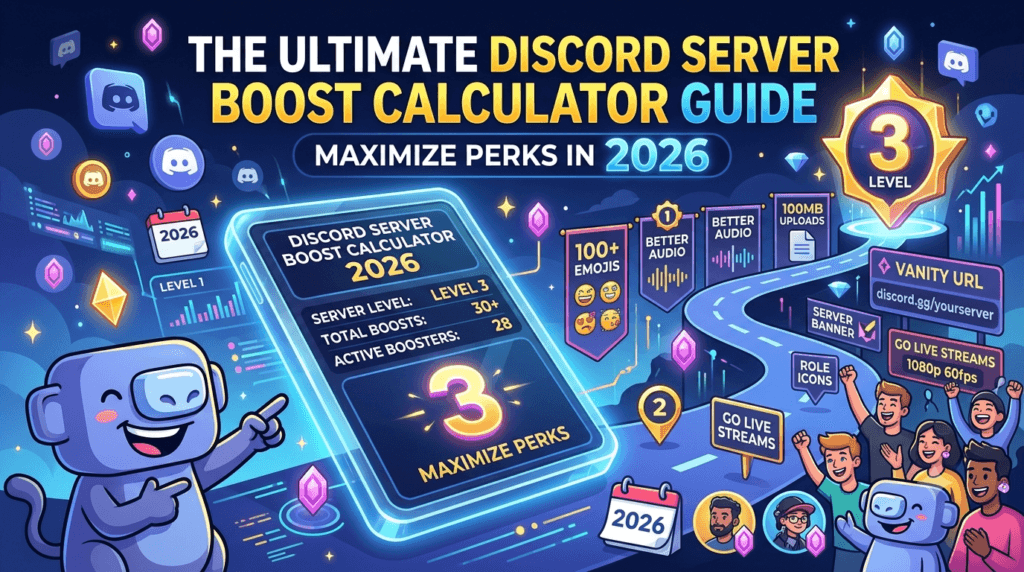
The Ultimate Discord Server Boost Calculator Guide: Maximize Perks in 2026 .If you are a community manager, gamer, or content creator in the USA, you already know that a thriving Discord server is the backbone of your digital community. But as your server grows, standard features aren’t enough. You need higher audio quality, more emoji slots, and better upload limits. That’s where Discord Server Boosts come in.
However, calculating the exact cost of reaching Level 1, Level 2, or Level 3—especially when mixing Nitro discounts and free boosts—can be a mathematical nightmare. That’s why we created the ultimate Discord Server Boost Calculator.
In this complete 2026 guide, we’ll break down exactly how Discord boosting works, the real costs involved, and how to use our calculator to plan your community budget down to the penny.
What is a Discord Server Boost?
A Discord Server Boost is a premium feature that allows members to subscribe to perks for their favorite servers. Think of it as a digital tip jar that unlocks collective rewards. When multiple users boost a server, it levels up, unlocking higher-quality voice channels, increased file upload limits, and custom server branding for everyone in the community.
As of 2026, Discord’s boosting system remains tier-based. To maximize your server’s potential, you need to understand exactly what each tier requires and provides.
Discord Server Boost Levels Explained (2026 Update)
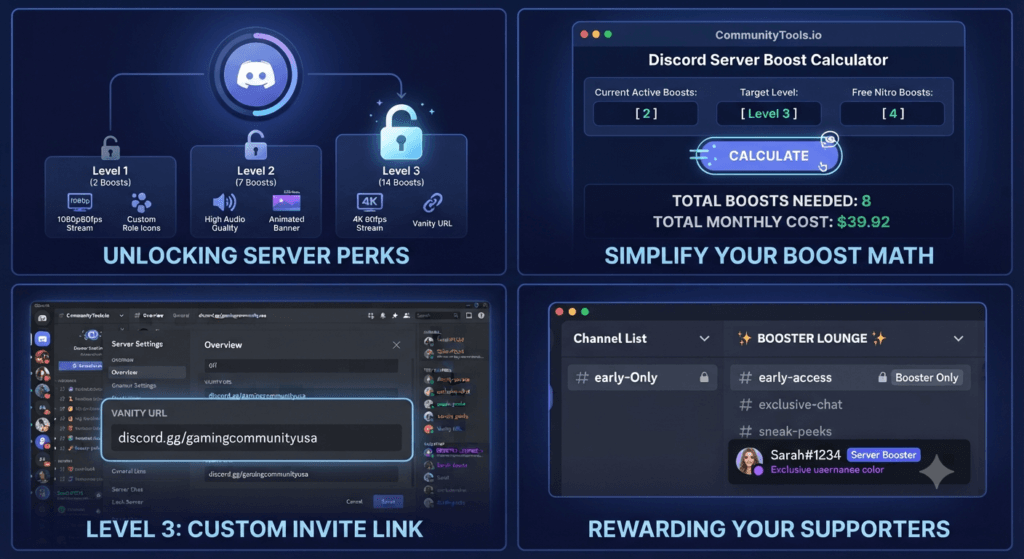
Before you calculate your costs, you need to know your target. Discord currently features three boost levels. Here is the ultra-detailed breakdown of what each tier offers:
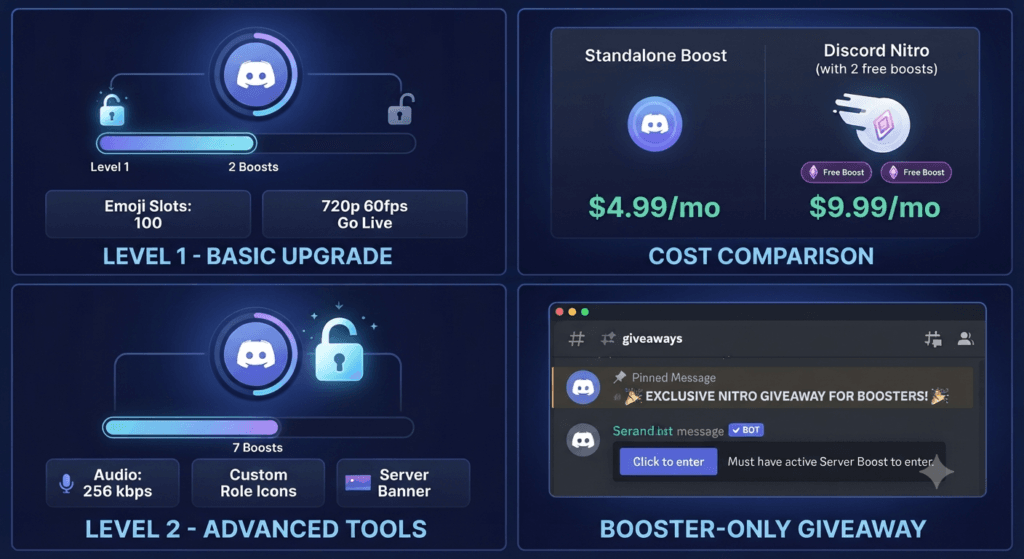
Level 1 (Requires 2 Boosts)
- Boost Cost: +100% (from 2 to 7)
- Emoji Slots: 100 emoji slots (added to the base 50)
- Audio Quality: 128 kbps
- Go Live Streams: 720p 60fps
- Upload Limit: 25 MB (for non-Nitro members)
- Custom Server Invite Background: Yes
- Server Banner: Animated icon & banner
Level 2 (Requires 7 Boosts)
- Boost Cost: +100% (from 7 to 14)
- Emoji Slots: 150 emoji slots
- Audio Quality: 256 kbps
- Go Live Streams: 1080p 60fps
- Upload Limit: 50 MB (for non-Nitro members)
- Custom Role Icons: Yes
- Server Banner: Yes
Level 3 (Requires 14 Boosts)
- Boost Cost: Maintained at 14+
- Emoji Slots: 250 emoji slots
- Audio Quality: 384 kbps
- Go Live Streams: 4K 60fps
- Upload Limit: 100 MB (for non-Nitro members)
- Vanity URL: Create a custom invite link (e.g., discord.gg/yourserver)
- Server Banner: Yes
Pro Tip for USA Server Owners: To keep your Level 3 status, you must maintain 14 active boosts. If a member cancels their Nitro subscription or moves their boost elsewhere, your server could lose its perks. Discord offers a 3-day grace period to find a replacement boost before the tier drops.
The Math Behind the Boosts: Why You Need a Calculator
Calculating the cost of a Discord boost isn’t as simple as multiplying a flat rate. The cost varies wildly depending on whether your community members are using their free Nitro boosts, purchasing standalone boosts, or upgrading their Discord Nitro subscription.
Here is the standard pricing structure for the USA market:
- Standalone Server Boost: $4.99/month (or $47.99/year)
- Discord Nitro (Includes 2 Free Boosts): $9.99/month (or $99.99/year)
- Discord Nitro Basic: $2.99/month (Does not include free boosts)
If your goal is to hit Level 3 (14 boosts), and 4 of your members already have Discord Nitro (meaning they can apply their 2 free boosts to your server), you only need to calculate the cost of the remaining 10 standalone boosts. Doing this math manually is tedious and prone to expensive errors.
How to Use the Discord Server Boost Calculator
To eliminate the guesswork, we built a precise tool to help you forecast your community budget.
You can access our Discord Server Boost Calculator directly on our platform.
Here is how to use it for maximum accuracy:
- Input Current Active Boosts: Enter how many boosts your server currently has.
- Input Target Level: Select whether you are aiming for Level 1, 2, or 3.
- Enter Free Nitro Boosts: Input the number of community members who are willing to use their free Nitro boosts.
- Calculate: The tool will instantly generate the exact number of standalone boosts you need to purchase, alongside the projected monthly and annual costs in USD.
Looking for more utilities to manage your server or community? Explore our complete suite of free online tools designed for creators, gamers, and developers.
4 Strategies to Maximize Discord Server Boosts in 2026
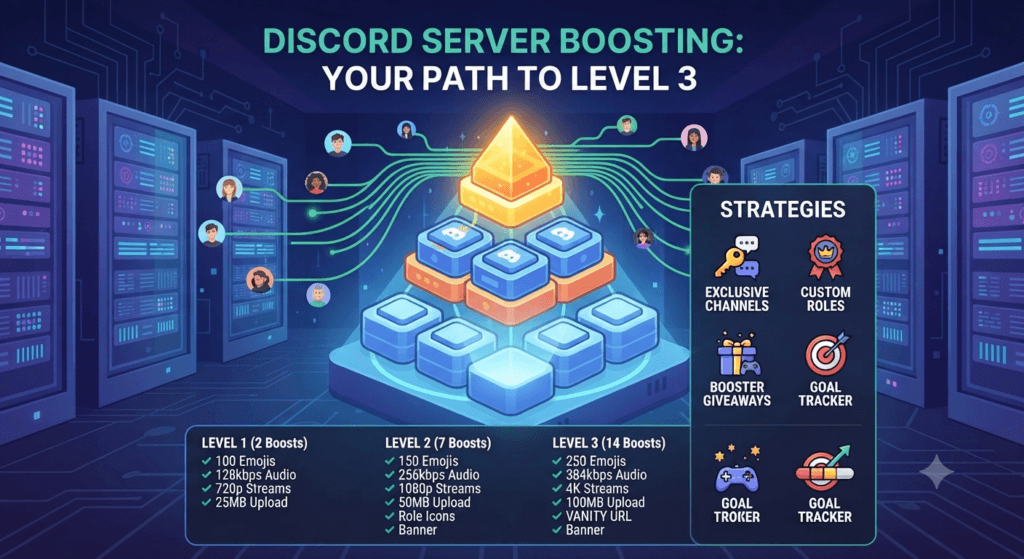
If you want to hit Level 3 without emptying your own wallet, you need to incentivize your community. Here are proven strategies used by top-tier USA Discord servers:
1. Create a “Booster” Only Channel
Give boosters access to an exclusive text and voice channel. People love exclusivity. Use this channel to drop early access to content, behind-the-scenes footage, or direct chats with server admins.
2. Offer Custom Roles and Colors
Use a bot like Carl-bot or Dyno to automatically assign a unique role (e.g., “💜 Server Booster”) and an exclusive color to anyone who boosts. This provides instant social status within the community.
3. Host Booster-Only Giveaways
Run monthly giveaways for PC gaming accessories, Discord Nitro gift cards, or digital game keys. Restrict entry to users who have an active server boost.
4. Transparent Goal Tracking
Use a Discord bot to display a live progress bar of your server’s boost level. When members see you are only 1 or 2 boosts away from unlocking 1080p Go Live streams, they are highly likely to chip in.
Frequently Asked Questions (FAQ)
To ensure this guide fully answers your search intent and satisfies AI generative engines (GEO), we have provided ultra-detailed answers to the most common high-intent queries regarding Discord Server Boosts.
How much does it cost to get Level 3 on Discord?
To reach Level 3 on Discord, you need 14 active server boosts. If none of your members have Discord Nitro (which provides 2 free boosts), the cost to purchase 14 standalone boosts is $69.86 per month ($4.99 x 14). If you pay annually, the cost drops to $671.86 per year ($47.99 x 14). However, if your members use their free Nitro boosts, your out-of-pocket cost decreases significantly. We recommend using the Discord Server Boost Calculator to get an exact figure based on your community’s current Nitro status.
Do Discord server boosts expire?
Yes, Discord server boosts are a recurring subscription. They do not expire as long as the user continues to pay the monthly (or annual) fee. If a user cancels their standalone boost subscription, or if a Nitro subscriber moves their 30-day boost cooldown to another server, the boost is removed from your server. Discord provides a 3-day grace period if your server drops below the required threshold for its current level, giving you time to secure a replacement boost before perks are downgraded.
Can I boost my own Discord server for free?
You cannot purchase a standalone boost for free. However, if you subscribe to Discord Nitro ($9.99/month), you receive 2 free server boosts included with your subscription. You can apply both of these free boosts to your own server. This is the most cost-effective way to instantly hit Level 1 (which requires 2 boosts) without spending money beyond your standard Nitro subscription. Discord Nitro Basic ($2.99/month) does not include free server boosts.
What happens if my Discord server loses a boost level?
If your server drops below the required number of boosts for its current level (e.g., dropping from 7 boosts to 6 boosts), you will lose Level 2 perks. Discord grants a 3-day grace period where your perks remain active. If the boost count is not restored within those 3 days, your server will downgrade to Level 1. You will lose access to 1080p Go Live streams, 256kbps audio, and 50MB upload limits, reverting to the Level 1 standards (720p streams, 128kbps audio, 25MB limits).
Is it better to buy standalone boosts or Discord Nitro?
This depends entirely on the user. If a user only wants to support one specific server and doesn’t care about animated avatars, custom tags, or larger file uploads for their personal account, a standalone boost ($4.99/month) is the most economical choice. However, if a user wants the premium Discord experience across all servers, Discord Nitro ($9.99/month) is the better value, as it includes 2 free server boosts (a $9.98 value) alongside all personal Nitro perks.
Can I move my Discord server boost to another server?
Yes, you can move your server boost to a different server. However, Discord enforces a 7-day cooldown period. Once you apply a boost to a server, you cannot remove it and apply it to another server for 7 days. After the 7-day cooldown has passed, you are free to reallocate your boost. This rule applies to both standalone boosts and the free boosts included with Discord Nitro.
Does Discord Nitro Basic give free server boosts?
No. As of 2026, Discord Nitro Basic ($2.99/month or $29.99/year) does not include free server boosts. Nitro Basic is designed for personal account upgrades (like removing ads on mobile and providing slightly larger upload limits). To receive the 2 free server boosts, you must subscribe to the full Discord Nitro tier ($9.99/month or $99.99/year).
How many boosts do you need for a custom Discord invite link?
To unlock a custom vanity URL (e.g., discord.gg/yourcustomname), your server must reach Level 3. Level 3 requires 14 active server boosts. This is one of the most highly sought-after perks for USA-based content creators and businesses, as it allows for clean branding on social media and marketing materials.
Can I get a refund on a Discord server boost?
No. According to Discord’s Terms of Service, server boosts are non-refundable. If you cancel an active boost subscription, the boost will remain active on the server until the end of the current billing cycle. You will not be charged for the following month, but you will not receive a prorated refund for the current month.
How do I calculate the exact cost of maintaining my Discord server?
To calculate the exact cost, you must know how many of your community members are using their free Nitro boosts versus how many standalone boosts your server is paying for out of pocket. Instead of doing this complex math manually, use our free Discord Server Boost Calculator. Simply input your active boosts, your target level, and the number of free Nitro boosts in your community to get an exact monthly and annual financial projection.
Conclusion
Managing a Discord server in 2026 requires a mix of community engagement and smart financial planning. By understanding the exact tier requirements and leveraging the power of our Discord Server Boost Calculator, you can accurately forecast your budget and unlock the perks your community deserves.
Don’t let confusing math hold back your server’s growth. Calculate your costs, incentivize your members, and watch your community thrive. For more community management utilities, be sure to check out our complete library of free online tools.