
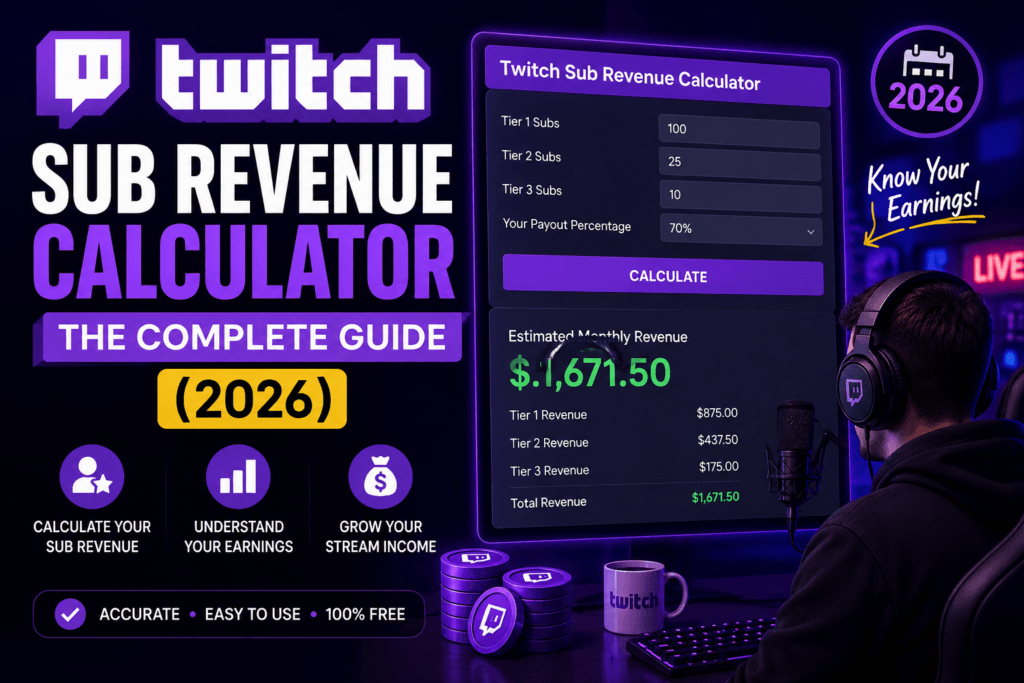
How to Use the Twitch Sub Revenue Calculator
Streamer Finance Guide · 2026How to Use the Twitch Sub Revenue Calculator: The Complete Guide
A practical, no-fluff walkthrough of estimating your real Twitch subscription income — tiers, splits, Prime subs, and the math behind the number that actually lands in your bank account.
If you stream on Twitch and you’ve ever stared at your subscriber count wondering “okay, but how much of this is actually going into my bank account,” you’re not alone. Twitch’s payout structure looks simple on the surface — three subscription tiers, a revenue split, done. In reality, the math gets messy fast once you factor in Prime subs, gifted subs, tier upgrades, and the different revenue splits that apply depending on your partner status.
That’s exactly the gap a Twitch Sub Revenue Calculator is built to close. Instead of pulling out a spreadsheet every time you want to estimate your monthly income, you plug in your subscriber numbers and get a real dollar estimate in seconds. This guide walks through exactly how to use one, what the numbers mean, and how to read your results like someone who’s actually managed a streaming income before — not just glanced at a payout dashboard once.
We’ll be using the free Twitch Sub Revenue Calculator as our reference tool throughout this guide, since it’s built specifically around Twitch’s actual payout structure rather than a generic percentage split.
What Is a Twitch Sub Revenue Calculator?
A Twitch Sub Revenue Calculator is a small web-based tool that estimates how much money a streamer earns from subscriptions based on a few inputs: the number of subscribers at each tier, the streamer’s revenue split (typically 50/50 or 70/30), and sometimes additional variables like gifted subs or regional pricing.
Think of it less like a “magic income predictor” and more like a calculator your accountant would build if they specialized in creator income. It doesn’t guess. It applies the actual math Twitch uses behind the scenes, so what you see is a realistic gross estimate rather than a rough guess pulled from a YouTube comment.
Why Streamers Actually Need This
A lot of new streamers assume subscription income is straightforward: “100 subs times $4.99 equals $499.” That number is wrong for almost everyone, and here’s why:
- Twitch doesn’t pay streamers 100% of subscription revenue — there’s always a split.
- Not every subscriber pays the base Tier 1 price; some sub at Tier 2 ($9.99) or Tier 3 ($24.99).
- Prime subscriptions are technically free for the viewer, and Twitch pays streamers a discounted rate for those.
- Gifted subs count toward totals but are paid for by a different person, which affects reporting but not the payout math itself.
- Payment processing and regional pricing can shift the actual dollar figure slightly depending on currency.
Once you factor all of that in, “100 subs” can mean anywhere from $220 to $350 in actual payout depending on tier distribution and your split. That range is big enough that guessing isn’t good enough if you’re trying to budget or negotiate a partnership deal.
Understanding the Twitch Revenue Split (Before You Calculate Anything)
Before touching the calculator, it helps to understand what’s happening under the hood. Most streamers, including newly Affiliated and Partnered streamers, operate on a 50/50 split. Some larger partners who negotiated legacy deals or hit specific milestone agreements operate on a 70/30 split, keeping 70% of subscription revenue instead of 50%.
This is the single biggest variable that trips people up when they try to estimate earnings manually — and it’s exactly the variable a good calculator handles for you automatically.
Step-by-Step: How to Use the Twitch Sub Revenue Calculator
Here’s the exact process, using the Twitch Sub Revenue Calculator as the example tool.
Gather Your Subscriber Data
Open your Twitch Creator Dashboard and check your Analytics tab for your Tier 1 (including Prime), Tier 2, and Tier 3 subscriber counts. If you’re not partnered yet and just want a projection, plug in hypothetical numbers instead — this is one of the most useful ways to use the tool.
Enter Your Numbers Into the Calculator
Input each tier count into its corresponding field. The fields are clearly separated so you’re not guessing which box corresponds to which tier.
Select Your Revenue Split
Choose 50/50 or 70/30 depending on your current agreement with Twitch. If you’re unsure, check your Partner or Affiliate agreement documentation — this detail changes your output by a wide margin, so it’s worth confirming rather than guessing.
Review Your Estimated Payout
The calculator instantly generates your estimated monthly revenue from subscriptions, broken down by tier so you can see exactly where your money is coming from.
Use the Breakdown to Plan Ahead
Once you see your tier breakdown, ask better questions: Should I run a Tier 2/3 incentive campaign? Is my Prime sub ratio unusually high, and should I be pushing paid subs more actively in stream?
What the Calculator Doesn’t Include (And Why That Matters)
Good financial literacy means understanding a tool’s limits, not just its output. A sub revenue calculator estimates gross subscription income specifically. It typically does not account for:
- Taxes: Streaming income is taxable, and in the US it’s usually treated as self-employment income, which comes with its own withholding considerations.
- Bits, donations, and ad revenue: These are separate income streams calculated differently.
- Sponsorships and brand deals: Entirely outside the subscription system.
- Payment processor fees: In some regions, minor deductions apply before funds reach a streamer’s bank account.
- Subscriber churn: The calculator shows a snapshot, not a trend — real income fluctuates month to month.
Treat the output as a strong estimate of subscription income specifically — not your total streaming income. Combine it with your Bits and ad revenue reporting for a full financial picture.
Real-World Example: Reading a Calculator Output
Let’s walk through a realistic scenario. Say a mid-sized Affiliate has 420 Tier 1 subscribers (including Prime), 35 Tier 2 subscribers, and 6 Tier 3 subscribers, on a standard 50/50 split.
| Tier | Subs | Rate | Your Share |
|---|---|---|---|
| Tier 1 (incl. Prime) | 420 | $4.99 | $1,047.90 |
| Tier 2 | 35 | $9.99 | $174.83 |
| Tier 3 | 6 | $24.99 | $74.97 |
| Total Gross Subscription Revenue | $1,297.70 | ||
That’s well below what a lot of new streamers assume when they see “461 subscribers” as a headline number. This is precisely why running your numbers through a calculator beats mental math: it’s easy to overestimate income when you’re only looking at subscriber count instead of tier distribution and split.
How to Increase Your Twitch Subscription Revenue
1. Push Tier Upgrades, Not Just New Subs
Getting an existing Tier 1 subscriber to upgrade to Tier 2 is often easier than acquiring a brand-new subscriber, and it roughly doubles that individual’s contribution to your income. Sub-only emotes, badges, or shoutout perks tied to higher tiers give viewers a concrete reason to upgrade.
2. Encourage Prime Sub Usage Strategically
Prime subs are free for the viewer but still pay out to the streamer, making them a low-friction way to grow your Tier 1 base. Reminding viewers who have Amazon Prime that they can sub for free each month is a simple, repeatable ask that costs the viewer nothing.
3. Reduce Subscriber Churn
Retention is quietly more valuable than acquisition. A consistent streaming schedule, regular community engagement outside of stream, and delivering on sub-exclusive perks all reduce the rate at which people let their subscription lapse.
4. Run Time-Limited Sub Campaigns
Milestone goals (“50 more subs unlocks a new emote”) create urgency without feeling like a sales pitch. These work particularly well around anniversaries, gaming events, or personal milestones your community already cares about.
Diversify beyond subscriptions. Pairing sub revenue with ad revenue, Bits, and sponsorships builds a more stable overall income — subscription counts can dip during slow content months even when your community itself is healthy.
Common Mistakes Streamers Make When Estimating Revenue
- Assuming a flat 50% across all tiers without checking their actual split. Some partners genuinely are on 70/30 and underestimate their income as a result.
- Forgetting Prime subs count toward Tier 1 revenue. They’re easy to overlook because they don’t show up as a direct charge to the viewer.
- Confusing gifted subs with extra income. A gifted sub is still just one subscription — it doesn’t pay double just because someone else bought it.
- Ignoring regional pricing differences. Twitch adjusts subscription pricing in some countries, which can slightly shift totals for international audiences.
- Treating the estimate as take-home pay. Taxes and platform-specific deductions still apply after the gross figure is calculated.
How Twitch Subscription Revenue Compares to Other Income Streams
It’s worth putting subscription revenue in context alongside the other ways streamers earn money, because relying on a single income source is rarely a good long-term strategy.
| Income Stream | Consistency | Effort to Grow | Typical Payout Pattern |
|---|---|---|---|
| Subscriptions | High — recurring monthly | Moderate (community building) | Steady baseline income |
| Bits | Low — one-time tips | Low (organic during stream) | Volatile, event-driven |
| Ad Revenue | Moderate — tied to views | Low (mostly automatic) | Scales with viewership |
| Sponsorships | Low — irregular deals | High (outreach/negotiation) | Large but inconsistent |
Subscription income tends to be steadier month over month, which is why many streamers treat it as their financial baseline and treat Bits, ads, and sponsorships as variable income layered on top.
Pairing the Calculator With Your Broader Content Strategy
A revenue calculator works best when it’s not used in isolation. Once you know your baseline subscription income, it becomes a lot easier to set realistic goals tied to actual content decisions rather than vague hopes of “growing the channel.”
For example, if your calculator output shows that Tier 1 subs make up 95% of your revenue with almost no Tier 2 or Tier 3 presence, that’s a clear signal: your community likely doesn’t yet see enough value differentiation between tiers, or you simply haven’t asked for upgrades directly. On the other hand, if Prime subs make up a disproportionately large share of your Tier 1 count, that might mean you have an audience that’s price-sensitive but still willing to support you.
Monthly check-ins with the calculator, compared against your previous month’s figures, give you a trend line instead of a single snapshot — and trend lines are what actually inform good decisions about content, schedule, and community-building priorities.
Frequently Asked Questions
How much does Twitch pay per subscriber?
At a standard 50/50 split, streamers earn approximately $2.50 for each Tier 1 sub ($4.99), around $5.00 for each Tier 2 sub ($9.99), and roughly $12.50 for each Tier 3 sub ($24.99). Partners on a 70/30 split earn proportionally more per subscriber at every tier.
Does Twitch pay for Prime subscriptions?
Yes. Prime subs are free for the viewer, but Twitch still pays the streamer for them, generally at a rate comparable to a standard Tier 1 subscription, though the exact figure can vary slightly by agreement.
Is the Twitch Sub Revenue Calculator accurate?
It’s accurate as an estimate of gross subscription revenue based on the inputs you provide. Because it can’t know your exact contractual split or regional pricing nuances unless you specify them, always treat the result as a close estimate rather than a guaranteed figure.
Do gifted subs pay more than regular subs?
No. A gifted subscription pays the streamer the exact same amount as a subscription purchased directly by the recipient. The only difference is who pays for it.
What’s the difference between a 50/50 and 70/30 split?
In a 50/50 split, the streamer keeps half of subscription revenue and Twitch keeps the other half. In a 70/30 split — typically reserved for larger partners with specific negotiated agreements — the streamer keeps 70% instead. This distinction dramatically changes monthly income for the same subscriber count.
Can I use this calculator before becoming an Affiliate or Partner?
Yes. Many streamers use it purely as a planning tool, entering hypothetical subscriber numbers to understand what different growth milestones could realistically translate to in income before they even reach Affiliate status.
Run Your Own Numbers in Seconds
Plug in your subscriber counts and revenue split to get a real, tier-by-tier breakdown of your Twitch earnings.
Final Thoughts
Understanding your subscription revenue isn’t just about satisfying curiosity — it’s about treating your channel like the small business it actually is. A Twitch Sub Revenue Calculator turns a confusing mix of tiers, splits, and Prime sub math into a single, clear number you can actually plan around, whether that’s setting income goals, deciding when to negotiate a better split, or simply knowing what to expect before payout day.
If you haven’t run your own numbers yet, it’s worth doing now rather than later: try the Twitch Sub Revenue Calculator, or explore more free utilities for your streaming workflow in the Free Online Tools collection.