

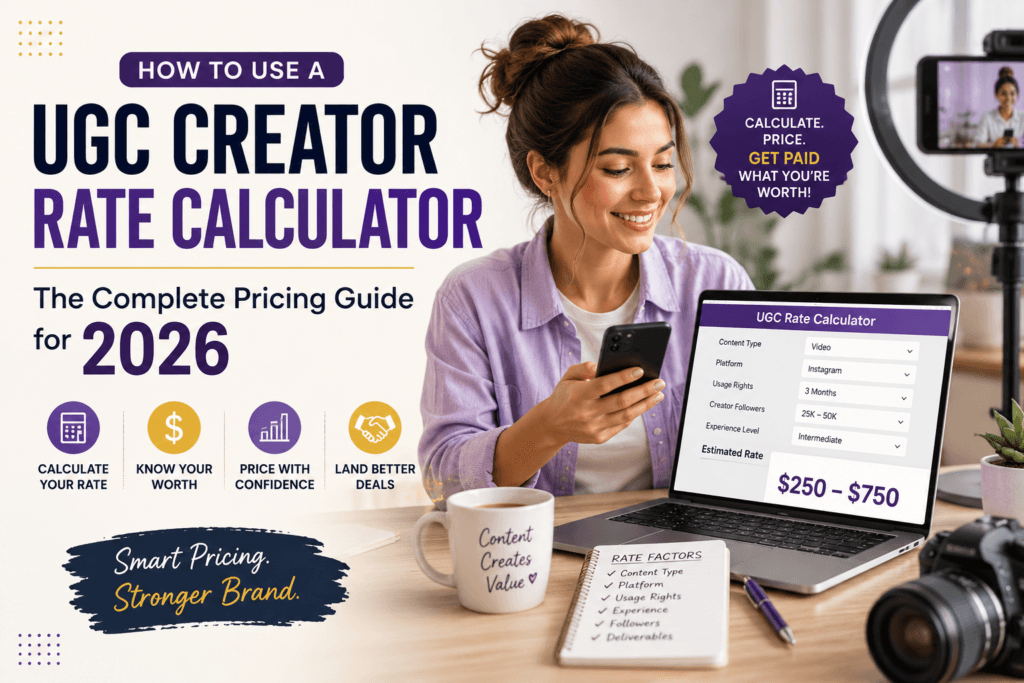
How to Use a UGC Creator Rate Calculator: The Complete Pricing Guide for 2026
The first time I priced a UGC video, I typed “$150” into a brand’s Google Form, hit submit, and immediately felt sick about it. Two days later I found out a creator with half my following was charging $450 for the exact same deliverable — one unedited vertical video with basic usage rights. That gap wasn’t talent. It was information. This guide closes that gap by showing you, step by step, how to use a UGC creator rate calculator to price your work with confidence, and why the number it gives you is almost never the number you should actually send to a brand.
What you’ll learn in this guide
- What a UGC creator rate calculator actually does
- Why guessing your rate is costing you money
- Step-by-step: how to use the calculator correctly
- The 7 factors that quietly change your rate
- 2026 rate ranges by experience level
- Common pricing mistakes new UGC creators make
- How to present your rate so brands don’t push back
- Frequently asked questions
What a UGC Creator Rate Calculator Actually Does
A UGC creator rate calculator is a small tool that turns the invisible math creators do in their heads — “how long will this take, what am I giving up the rights to, will they run ads on it” — into a single, defensible number. Instead of anchoring on a round figure because it feels safe, you’re building the price from the actual components a brand is paying for: filming time, editing time, the number of revisions, whitelisting or paid usage rights, exclusivity, and the length of the deliverable.
This matters because UGC pricing, unlike traditional influencer sponsorships, isn’t tied to follower count. A creator with 400 followers and zero public audience can charge the same as, or more than, a creator with 50,000 followers, because the brand isn’t paying for reach — they’re paying for the raw content itself, which they’ll run as paid ads or use on their own product pages. A calculator that understands this distinction gives you a far more accurate starting point than copying a number you saw in a Facebook group.
Try It Yourself
Skip the guesswork and generate a rate based on your actual deliverables, usage rights, and experience level in under a minute.
Open the UGC Creator Rate Calculator →Why Guessing Your Rate Is Costing You Money
Most new UGC creators do one of two things: they lowball themselves out of fear of losing the deal, or they pick a number a friend suggested without checking whether it accounted for usage rights. Both mistakes come from the same root problem — pricing based on emotion instead of deliverables.
Here’s the part nobody tells you upfront: a brand’s marketing budget for a single ad concept is often five to ten times what they’re offering the creator. That’s not because they’re trying to exploit anyone — it’s because most creators never ask what the content will be used for, so the brand defaults to the lowest offer that’s likely to get accepted. A rate calculator forces you to ask those questions before you ever type a number into an email, which is exactly where the real negotiation happens.
Step-by-Step: How to Use a UGC Creator Rate Calculator
1Define the deliverable, not just “a video”
Before opening the calculator, write down exactly what’s being requested: one 30-second vertical video, three static photos, a testimonial-style clip, or a full unboxing sequence. Vague deliverables lead to vague, underpriced quotes. Get the brief in writing first, even if it’s just a two-line email confirming the format.
2Enter your base experience level
Most calculators, including the UGC Creator Rate Calculator, ask whether you’re a beginner, intermediate, or established creator. Be honest here rather than optimistic — your portfolio size and past brand deals matter more than how confident you feel today.
3Add the content type and length
A 15-second product demo and a 90-second tutorial are not the same job. Longer content means more filming setups, more b-roll, and more editing time, so this input alone can shift your total by 30-60%.
4Select usage rights and whitelisting
This is the single most underpriced line item in UGC. “Organic usage” (posting it once on the brand’s own page) is worth far less than “paid usage” (running it as an ad across Meta, TikTok, or YouTube for three, six, or twelve months). If the brand wants to run your face and voice as a paid ad, that’s a media licensing fee, not a content creation fee — treat it as a separate cost the calculator should add on top of your base rate.
5Factor in exclusivity and revisions
If the brand wants you to avoid promoting competing products for a set period, or wants two or three rounds of revisions built in, these both add real time and opportunity cost. Add them honestly instead of absorbing them for free.
6Review the output as a starting range, not a fixed price
A good calculator gives you a range, not a single rigid number. Treat the lower end as your walk-away minimum and the upper end as your anchor when a brand asks “what’s your rate?” first.
Quick gut check: if the number the calculator gives you makes you slightly uncomfortable to say out loud, that’s usually a sign it’s closer to your real worth than the number that felt “safe.”
The 7 Factors That Quietly Change Your Rate
Two creators can do the exact same shoot and end up with wildly different fair rates once you account for the details most people skip. These are the variables that matter most going into 2026.
- Usage rights duration: 30 days of organic use is worth a fraction of a 6-month paid usage license.
- Whitelisting access: letting a brand run ads from your own handle carries extra weight because it borrows your identity, not just your footage.
- Number of hooks or variations: brands increasingly ask for 3-5 different opening hooks for the same script to A/B test ads — each variation is additional work.
- Raw footage delivery: handing over unedited clips for the brand’s in-house editors is a different job than delivering a finished, edited video.
- Turnaround time: a 48-hour rush request should always carry a premium over a standard 7-10 day timeline.
- Product category: regulated categories like supplements, skincare, and finance typically require more disclaimers, script approvals, and revision rounds.
- Usage across platforms: a license that covers TikTok, Instagram, and YouTube simultaneously is worth more than a single-platform license.
2026 Rate Ranges by Experience Level (USA Market)
These ranges reflect general market patterns for a single 15-60 second UGC video with organic usage rights only, based on portfolio strength and prior brand experience. Treat them as a reference point, then let the calculator adjust for your specific deliverable.
| Experience Level | Typical Base Rate (Organic Use) | Add for Paid Usage (30-90 days) |
|---|---|---|
| New creator (0-5 brand deals) | $75 – $175 | +$50 – $150 |
| Growing portfolio (5-20 deals) | $175 – $350 | +$150 – $300 |
| Established creator (20+ deals, niche authority) | $350 – $700+ | +$300 – $600+ |
Note: these figures are general market reference ranges, not guaranteed rates. Actual pricing depends on your niche, production quality, negotiation, and the specific brand’s budget. Always run your exact deliverable through the calculator rather than relying on averages alone.
Common Pricing Mistakes New UGC Creators Make
1. Quoting a flat rate before knowing the usage terms
If you send a price before asking how the content will be used, you’re negotiating blind. Always ask “will this be used organically, or will you be running it as a paid ad?” before naming a number.
2. Treating whitelisting as a free bonus
Whitelisting means the brand can run ads from your handle, using your engagement history and audience trust. This is a licensing arrangement, not a favor — it deserves its own line item.
3. Forgetting to price revisions
One free revision round is standard. Anything beyond that should be priced separately, or capped explicitly in your agreement.
4. Underpricing rush turnarounds
A same-week or 48-hour deadline disrupts your entire schedule. A 20-30% rush fee is standard practice, not greedy.
5. Comparing rates to follower count instead of deliverables
UGC is content-first, not audience-first. Don’t discount your rate just because your following is small — the brand is buying the footage, not your reach.
How to Present Your Rate So Brands Don’t Push Back
Once your calculator output gives you a number, how you present it matters almost as much as the number itself. Send a simple, itemized quote rather than a single lump sum — for example: base video rate, plus usage rights, plus one revision round. Itemizing makes your price feel earned rather than arbitrary, and it gives the brand room to adjust scope (fewer usage days, no whitelisting) instead of asking you to discount the whole project.
If a brand pushes back on price, respond by asking which specific line item they’d like to adjust rather than immediately lowering the total. This single habit — protecting the structure of your quote instead of the number — is what separates creators who steadily raise their rates from creators who stay stuck at their first-ever price for years.
Explore More Free Creator Tools
The rate calculator is one of several free tools built to help creators and small businesses make faster, data-backed decisions.
Browse All Free Tools →Frequently Asked Questions
How much should a beginner charge for their first UGC video?
Most beginner UGC creators in the USA start in the $75-$175 range for a single short-form video with organic usage rights only. If the brand wants paid usage or whitelisting, that should be quoted as an additional fee on top of the base rate.
Is a UGC creator rate calculator accurate for every niche?
A calculator gives you a solid starting range based on standard industry factors like experience level, content length, and usage rights. Regulated niches such as skincare, supplements, or finance often require additional script approvals and disclaimers, so it’s reasonable to adjust the calculator’s output slightly upward for those categories.
What’s the difference between organic and paid usage rights in UGC pricing?
Organic usage means the brand can only post the content on their own owned social channels. Paid usage means they can run the content as a paid advertisement across platforms, which reaches a far larger audience and should be priced as a separate licensing fee, typically 50-150% on top of the base rate.
Should I charge more for whitelisting access?
Yes. Whitelisting lets a brand run ads directly from your social handle, borrowing your engagement and audience trust. This is a distinct value exchange from simply handing over a video file, so it should always carry its own separate charge.
How do I know if my UGC rate is too low?
A common warning sign is getting accepted instantly with zero negotiation on every single pitch. If brands never push back or counter-offer, it often means your rate is comfortably below what they budgeted, and there’s room to raise it on your next quote.
Can I use a UGC rate calculator for photo content too?
Yes. The same core factors — experience level, usage rights, exclusivity, and turnaround time — apply to static UGC photo content, though the base time investment is usually lower than video, which typically brings the rate down slightly compared to an equivalent video deliverable.
Final Thoughts
Pricing yourself as a UGC creator isn’t about finding one magic number and reusing it forever. It’s a skill you refine deal by deal, using real inputs — deliverable length, usage rights, exclusivity, turnaround — instead of guesswork or comparison to other creators. A calculator won’t negotiate for you, but it will make sure you’re never starting from a number that was too low before the conversation even began.