

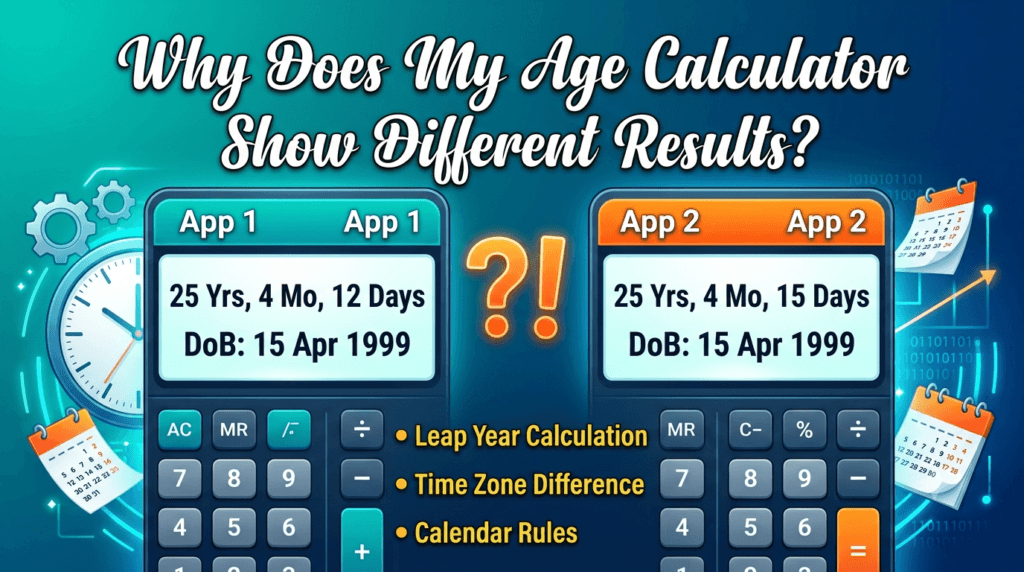
Why Does My Age Calculator Show Different Results?
Same birthday. Same “today.” Two calculators. Two different ages. Here is exactly why that happens, which method is actually correct, and how to stop second-guessing the number on your screen.
Fixed 30-Day Method
Assumes every month is 30 days long. Common in simple spreadsheet formulas.
Real Calendar Method
Counts against actual Gregorian month lengths, day by day.
Age calculators show different results because there is no single universal rulebook for measuring a “month” or a “year” in date math. Different tools use different month-length assumptions, different rules for leap-year birthdays, different definitions of “today,” and different rounding logic. The date-of-birth and current date can be identical on two calculators and still produce results that differ by a day, a month, or even a full year in edge cases.
You typed in the exact same birth date twice. You typed in today’s date correctly. And somehow, one calculator says you are 33 years, 4 months, and 2 days old, while another says 33 years, 4 months, and 12 days old. Neither one is broken. They are simply disagreeing about how to count.
This happens far more often than most people expect, and it catches people off guard in situations that matter — filling out a school enrollment form, checking Social Security eligibility, verifying a minimum age on a legal document, or just settling an argument about who is older by a few weeks. Below is a full breakdown of every mechanical reason this happens, in plain English, with real number examples you can check yourself.
01 The Short Answer: It’s a Method Difference, Not a Bug
A calendar looks like a fixed, objective grid, but measuring the distance between two dates in “years, months, and days” is not as simple as subtracting two numbers. A year can hold 365 or 366 days. A month can hold 28, 29, 30, or 31 days depending on which month and which year you land on. Because there is no single agreed-upon international standard for converting a date difference into a years-months-days sentence, every calculator’s programmer has to choose a method. Different choices, applied to identical dates, mathematically produce different sentences — even though the number of actual days between the two dates never changes.
That last point is the key to understanding everything else on this page: the total number of days between two dates is always fixed and never in dispute. What varies is how that fixed number of days gets translated into “X years, Y months, Z days.” That translation step is where every disagreement lives.
02 Reason 1: Different Month-Length Assumptions
The single biggest source of mismatched results is how a tool defines the length of a month. There are two competing approaches used across the web:
- Fixed 30-day method: The calculator assumes every month is exactly 30 days for the purpose of the months-and-days portion of the answer. This method is easy to code and easy to explain, which is why it shows up in a lot of quick spreadsheet formulas and simplified tools.
- Real calendar method: The calculator walks through the actual Gregorian calendar, counting the true number of days in each month it passes through — 28 or 29 for February, 30 for April, June, September, and November, 31 for the rest.
For most birth dates, the two methods land on the same answer, or drift apart by only a day or two. But the further your birth date sits from a round number of 30-day months, the more visible the gap becomes, especially for anyone born near the end of a long month like January, March, May, July, August, October, or December.
03 Reason 2: How the Tool Judges “Has Your Birthday Happened Yet?”
Every accurate age calculation hinges on one binary check: has this year’s birthday already passed on the current date, or not? Most tools get this right, but the ones that don’t tend to produce results that are off by exactly one full year, which is the single most jarring discrepancy people report.
The correct rule compares the birth month and day against today’s month and day, independent of the year. If today’s month-and-day combination comes before the birth month-and-day combination, the calculator has to subtract one from the naive year difference. A tool that skips this check, or applies it inconsistently around New Year’s Eve, will hand you an age that is a full year off from what every other tool reports.
04 Reason 3: Leap Years and February 29 Birthdays
Roughly 1 in 1,461 people is born on February 29, and this single date creates more calculator disagreement than almost any other factor. A leap-year baby only has a real, calendar-accurate birthday once every four years. So what happens on the other three years?
- Some calculators recognize the birthday as having occurred on February 28 in non-leap years.
- Some calculators push the recognized birthday to March 1 in non-leap years.
- Some calculators refuse to advance the “years” count at all until the next true February 29 rolls around, technically correct by the strictest reading of the calendar but rarely what a user expects.
All three positions are defensible under different interpretations of the Gregorian calendar, and there is no universally binding rule that settles the debate — which is exactly why leap-year birthdays are the most common source of a one-day discrepancy between two otherwise well-built tools.
Leap years cause a second, quieter effect too: any date range that includes a February 29 contains one extra day compared to the “average” year. Tools that calculate age purely in total days, then convert that day count into years using a fixed 365-day-year average, will drift slightly for anyone who has lived through one or more leap years — which, statistically, is almost everyone reading this.
05 Reason 4: Time Zones and the Definition of “Today”
This one is subtle but very real, especially for tools that automatically pull “today’s date” from your device rather than asking you to confirm it. A calculator’s idea of “today” typically comes from one of two places: your device’s local clock, or the server’s clock, which may be set to UTC or to the time zone where the tool’s server physically lives.
In the vast majority of the day, this makes zero difference. But near midnight, it can matter a great deal. Someone checking their age at 11:45 p.m. Pacific Time and someone checking at the exact same real-world instant, but reading a tool anchored to Eastern Time or UTC, can be told two different calendar dates for “today” — a gap of up to three hours across the continental United States alone, and potentially a full day when UTC is involved. If your birthday falls on that boundary date, this alone can flip your reported age by exactly one day.
If a result looks off by exactly one day, and you checked it close to midnight, run it again the next morning using a tool that lets you manually confirm both dates rather than auto-detecting “today” from your device.
06 Reason 5: Rounding vs. Truncation
Some tools round the “months” or “days” figure to the nearest whole unit for readability. Others truncate, meaning they simply drop any partial unit rather than rounding it up. A person who is 24 years, 11 months, and 29 days old might see “24 years, 11 months, 29 days” from a truncating calculator and “almost 25 years” or even “25 years” from a tool that rounds aggressively for a friendlier headline number. Neither is lying to you; they are just presenting the same underlying day count with a different level of precision.
07 Reason 6: End-of-Month Edge Cases
This is the edge case that trips up even carefully built calculators. Consider someone born on January 31st, and a calculation running through to March. February doesn’t have a 31st, or even a 30th in most years, so what counts as “one month” after January 31st? Two logical answers exist:
- Treat February 28th (or 29th) as the equivalent end-of-month marker, meaning one month has passed by February 28th, and the remaining days into March get counted separately.
- Treat the 31st of the following applicable month as the true one-month mark, meaning the calculator waits until March 31st to log a full month, counting the days from January 31st to February 28th as a partial month plus extra days.
Both interpretations are internally consistent, and reasonable engineers have built respected tools around each one. The disagreement only ever surfaces for date ranges that start on the 29th, 30th, or 31st of a month — which is a meaningfully large slice of all birth dates, roughly one in three.
08 Reason 7: Chronological Age vs. Corrected (Adjusted) Age
This reason has nothing to do with math and everything to do with what the calculator was actually built to measure. In pediatric and developmental contexts, there are two distinct, equally valid concepts:
- Chronological age: Time elapsed strictly from the actual birth date, exactly like a standard age calculator.
- Corrected (or adjusted) age: Used for babies born prematurely. It subtracts the number of weeks the baby arrived early from the chronological age, because developmental milestones are typically tracked against the original due date, not the actual birth date.
If you enter the same birth date into a general-purpose age calculator and a pediatric adjusted-age calculator, you should expect a different number by design. That is not a bug in either tool; they are answering two different questions that happen to share the word “age.”
09 Reason 8: Manual Estimation vs. True Calendar Algorithms
A surprising number of printed guides, worksheets, and even some professional reference manuals teach a simplified manual method for estimating age by hand, which assumes every month is 30 days long purely for ease of calculation without a computer. When someone checks that hand-calculated figure against a calendar-accurate digital tool, a difference of a few days is completely expected and does not indicate an error in either the manual guide or the calculator — it simply reflects the manual method’s built-in simplification.
10 Worked Examples You Can Check by Hand
Here is a side-by-side look at how the same two dates can legitimately produce two different, defensible answers, depending purely on which method a calculator uses.
Example A — End-of-month edge case
Date of birth: January 31, 1998 · Reference date: March 31, 2026
These two happen to align in a non-leap-adjacent span, which is exactly why the discrepancy feels random — it only appears when the range actually crosses a short February.
Example B — Leap year birthday
Date of birth: February 29, 2004 · Reference date: February 28, 2027 (non-leap year)
| Discrepancy trigger | Typical size of difference | How common |
|---|---|---|
| Month-length assumption (30-day vs. real calendar) | 0–3 days | Very common |
| End-of-month date (29th, 30th, 31st) | 0–3 days | ~33% of all birth dates |
| February 29 birthday handling | 0–1 day (or 0 in leap years) | ~1 in 1,461 people |
| Missed birthday-passed check | Exactly 1 full year | Rare, but jarring when it occurs |
| Time zone / “today” mismatch near midnight | Exactly 1 day | Only near midnight local time |
| Rounding vs. truncation display | Cosmetic only | Common in simplified tools |
11 Why the “Right” Answer Actually Matters
In casual conversation, a day or two of difference is trivia. In several everyday U.S. contexts, it is not:
- School enrollment cutoffs: Many U.S. school districts set a hard birthday cutoff, often in late summer or early fall, for kindergarten eligibility. A calculator that miscounts by even a day around that cutoff date can produce an incorrect enrollment-eligibility conclusion.
- Retirement and benefits planning: Age thresholds for full retirement benefits and related milestones are defined precisely, and a rough or rounded age estimate is not a substitute for an exact calendar-day calculation when you are close to a threshold.
- Legal age verification: Contracts, licenses, and age-restricted purchases hinge on the exact date a person turns a specific age, not an approximation.
- Medical and developmental tracking: As covered above, chronological versus corrected age can change how a pediatric milestone is interpreted.
This is exactly why choosing a calendar-accurate, transparent tool — one that shows its full breakdown rather than just a rounded headline number — is worth the extra ten seconds compared to trusting the first result you see.
Get a Calendar-Accurate Answer in One Step
If you want a result built on real Gregorian month lengths, correct leap-year handling, and a full years-months-days-and-total-days breakdown you can double-check yourself, ToolRiz’s calculator does the full calendar walk-through automatically.
12 How to Get a Reliable Result Every Time
You don’t need to become a calendar mathematician to sidestep all of this. A few habits eliminate almost every source of disagreement described above:
- Confirm both dates manually. Don’t rely on a tool that silently auto-detects “today” from your device, especially if you’re checking your age late at night.
- Prefer a tool that shows its full breakdown. A calculator that displays years, months, days, and total days lets you sanity-check the math yourself instead of trusting a single rounded number.
- Check whether the tool states its method. A transparent, calendar-accurate tool will typically explain how it treats end-of-month dates and leap years, which tells you exactly why its answer might differ from another tool’s.
- Use the right calculator for the right question. Chronological age, adjusted age, and age-on-a-future-or-past-date are three different calculations — make sure the tool you’re using matches the question you’re actually asking.
- Re-check threshold dates independently. For anything tied to a legal, medical, or enrollment cutoff, verify the specific cutoff date against the official source rather than relying on any calculator’s plain-language summary alone.
ToolRiz also has a full library of free, calendar-accurate calculators and everyday utilities beyond age — from date and time tools to everyday converters. Browse all ToolRiz online tools to find the exact one you need.
13 Frequently Asked Questions
Why do two age calculators give me different answers for the same birthday?
Because they use different rules to measure a month. Some treat every month as exactly 30 days; others count against the real Gregorian calendar, where months hold 28 to 31 days. Both approaches are logically valid on their own terms, but applied to the same two dates, they produce different year-month-day breakdowns.
Which age calculation method is more accurate?
A calendar-based method that counts real month lengths is generally considered more precise, since it mirrors how birthdays actually land on the calendar rather than relying on a simplified average. For anything tied to legal, medical, or school-related age verification in the U.S., a calendar-accurate tool is the standard to use.
Can time zones really change my calculated age?
Yes, in edge cases. If a calculator pulls “today” from your device clock and you’re close to midnight, someone in a different U.S. time zone can be shown a different current date at the exact same real-world moment, which can shift a result by one day.
Why does my age calculator show a strange result for a leap year birthday?
People born on February 29 only have a true calendar birthday once every four years. Calculators disagree on how to handle the other three years — some recognize February 28 as the birthday, others use March 1, and others wait for the next real February 29. Each rule produces a slightly different age on the same calendar day.
Is a chronological age calculator the same as a corrected age calculator?
No. A chronological age calculator measures time strictly from the actual birth date. A corrected or adjusted age calculator, used mainly for babies born prematurely, subtracts the number of weeks a baby arrived early. They’re built to answer two different questions.
My calculator’s answer is off by exactly one year — what happened?
This usually means the tool failed to correctly check whether this year’s birthday has already occurred relative to today’s date. It’s the most noticeable type of discrepancy because it’s a full year rather than a few days, and it typically points to a logic gap in how that specific tool compares month-and-day values.
Should I trust the “total days lived” number over the years-months-days number?
The total-days figure is the one number that virtually every calculator will agree on, because it doesn’t require any month-length assumptions — it’s a straight count of calendar days between two fixed dates. If you want a single number you can cross-check across multiple tools with confidence, total days is it.