

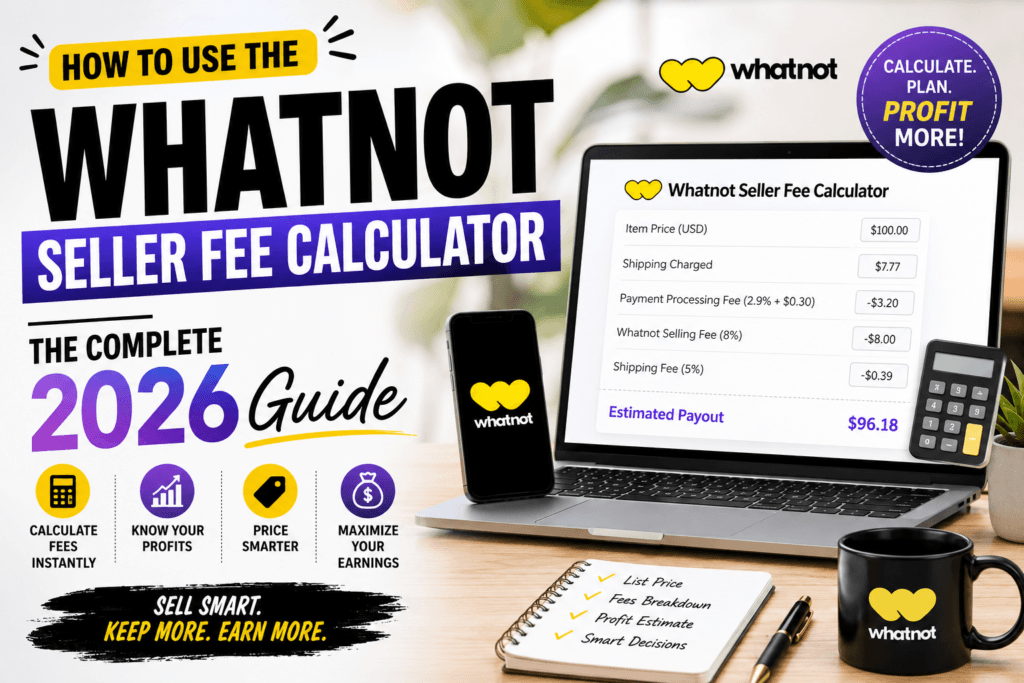
How to Use the Whatnot Seller Fee Calculator: The Complete 2026 Guide
A practical, no-fluff walkthrough for U.S. resellers who want to know exactly what Whatnot keeps, what you keep, and how to price every show for real profit.
Most Whatnot sellers can tell you their commission rate off the top of their head. Far fewer can tell you what they actually walked away with after last Tuesday’s show, once payment processing, shipping, and taxes were folded into the total. That gap between the “headline fee” everyone quotes and the number that hits your bank account is exactly what a fee calculator is built to close.
This guide breaks down how Whatnot fees are actually calculated in 2026, walks through the free Whatnot Seller Fee Calculator step by step, and shows you worked examples across different categories so you can price shows with confidence instead of guessing and hoping the payout matches your spreadsheet.
Why Whatnot Fees Actually Matter to Your Bottom Line
Live selling rewards speed. You’re pulling items, setting opening bids, and reading the chat in real time, which doesn’t leave much room to run percentages in your head. The problem is that Whatnot’s fee isn’t a single flat number — it’s a commission on the item price plus a separate payment processing charge calculated on the entire order, including shipping and tax. Two identical $40 sales can produce different payouts depending on where the buyer lives and how much they pay for a shipping label.
If you’re pricing a show based only on the commission percentage, you’re underestimating your true cost every single time. Sellers who track this closely tend to set stronger opening bids, know which categories are actually worth their time, and rarely get surprised by a payout that’s smaller than expected.
Whatnot’s 2026 Fee Structure, Explained Plainly
Whatnot doesn’t charge anything to list an item or open a show — there are no insertion fees, no monthly store subscription, and no cost to go live. The platform earns money only when a sale actually happens, through two layered charges:
- Seller commission — a percentage of the item’s sale price (shipping and tax are excluded from this calculation).
- Payment processing fee — roughly 2.9% of the total order value plus a flat $0.30, where “total order value” means item price plus shipping plus any tax the buyer paid.
The commission percentage itself is category-dependent, and this is the part sellers most often get wrong:
| Category | Standard Commission | Notes |
|---|---|---|
| Most general categories (apparel, home goods, toys, streetwear, etc.) | ~8% | Default rate for U.S., Canadian, and Australian sellers |
| Electronics | ~5% | Flat rate regardless of price point |
| Coins, money & select collectible categories | ~4% | Lower promotional rate; can change without notice |
| Eligible collectible categories above $1,500 per order | 0% on the portion above $1,500 | Part of a limited-time high-value order promotion; the standard rate still applies below the threshold |
On top of whichever commission applies, the ~2.9% + $0.30 processing fee is layered on the full checkout total. Because that $0.30 flat portion doesn’t scale with price, cheap items carry a noticeably higher effective fee rate than expensive ones — a $5 sale can lose close to 17% of its value to fees, while a $500 sale might land closer to 11%. This is exactly the kind of nuance a manual calculation misses and a calculator catches instantly.
Whatnot can and does adjust category rates, promotional thresholds, and processing fees throughout the year. Treat every percentage in this guide as a planning estimate, and always confirm your exact rate for a specific sale inside your Seller Hub or with the calculator before you rely on it for pricing decisions.
What the Whatnot Seller Fee Calculator Actually Does
The free Whatnot Seller Fee Calculator takes the manual math out of pricing. Instead of separately working out commission, then processing fees, then subtracting both from your sale price, you enter a few numbers once and get your real, in-hand payout instantly.
It’s built specifically around how Whatnot structures fees — commission on item price only, processing fee on the full order value — so it doesn’t oversimplify the way a generic “take X% off the top” mental shortcut does. That distinction alone is where most sellers’ manual math goes wrong.
Skip the mental math before your next show
Plug in your sale price, category, and shipping cost to see your exact take-home payout in seconds.
Step-by-Step: How to Use the Whatnot Seller Fee Calculator
- Open the calculator. Head to the Whatnot Seller Fee Calculator. It runs entirely in your browser, so there’s nothing to install and no account required.
- Enter your item’s sale price. Use the price you actually expect the item to close at — for auction-format items, your realistic hammer price, not your opening bid.
- Select the correct category. Because commission rates differ between general items, electronics, and select collectible categories, choosing the right one changes your result meaningfully. When in doubt, check the rate listed for that category in your Seller Hub.
- Add your shipping cost. Enter what the buyer is charged for shipping, even if you’re the one covering it. Remember: the processing fee is calculated on the total order value, shipping included.
- Add applicable tax, if any. If your state requires sales tax collection on the order, include it — it also feeds into the processing fee base, even though you never see that money.
- Review your breakdown. The calculator separates out the commission amount, the processing fee amount, and your final net payout, so you can see exactly where each dollar went instead of just a single “you get X” number.
- Adjust and compare. Try a few price points before you go live. Seeing how a $2 increase in your opening bid changes your net payout is one of the fastest ways to price a show smarter.
Here’s roughly what that breakdown looks like for a single sale:
Payout Breakdown
Real Payout Examples Across Categories
Numbers make more sense with context. Here’s how the math plays out across three very different Whatnot sales — a mid-price collectible, a piece of electronics, and a high-value lot that crosses the promotional threshold.
Example 1 — Trading Cards, $65 sale
- Item price: $65.00, category commission: ~8%
- Shipping charged to buyer: $5.00 → order total $70.00
- Commission: $5.20
- Processing fee: (2.9% × $70.00) + $0.30 ≈ $2.33
- Estimated payout: roughly $57.47
Example 2 — Refurbished Electronics, $480 sale
- Item price: $480.00, category commission: ~5%
- Shipping charged to buyer: $14.00, buyer-paid tax: $28.00 → order total $522.00
- Commission: $24.00
- Processing fee: (2.9% × $522.00) + $0.30 ≈ $15.44
- Estimated payout: roughly $440.56
Example 3 — Graded Card Lot, $2,200 sale (crosses the $1,500 threshold)
- Item price: $2,200.00, eligible category: 8% on the first $1,500, 0% on the remaining $700
- Commission: ($1,500 × 8%) + ($700 × 0%) = $120.00
- Shipping: $11.00 → order total $2,211.00
- Processing fee: (2.9% × $2,211.00) + $0.30 ≈ $64.42
- Estimated payout: roughly $2,026.58
Notice how the effective fee rate actually drops as the sale gets larger in Example 3, thanks to the high-value threshold — while the small-dollar Example 1 loses a proportionally bigger slice to the flat $0.30 processing charge. That’s exactly the kind of pattern the calculator surfaces instantly, without you needing to build a spreadsheet.
How to Lower Your Effective Fee Rate (Without Breaking Whatnot’s Rules)
You can’t negotiate Whatnot’s commission, but you have real control over your effective rate — the actual percentage of revenue you lose after everything is accounted for. A few levers that consistently move the needle for active sellers:
- Bundle smaller items into combined shipments. One $9 shipping charge across three items lowers the processing-fee base per item compared to shipping each one separately.
- Avoid pricing tiny items too low. A $3 item is disproportionately eaten by the flat $0.30 processing fee. If an item won’t clear a reasonable minimum bid, consider grouping it into a lot instead.
- List eligible collectibles in categories that qualify for the reduced or capped commission. Correct categorization at listing time is not just a compliance detail — it directly changes your take-home amount.
- Time high-value lots to take advantage of the $1,500 threshold promotion where it applies to your category, since the marginal commission on the excess drops to zero.
- Reduce refund and dispute rates. Refunds can still leave you on the hook for some of the original commission and processing fees, so tightening your item descriptions and packaging protects margin indirectly.
- Run the numbers before you set an opening bid, not after the sale closes. This is the single habit that separates sellers who consistently hit their margin targets from those who are surprised every payout cycle.
Common Mistakes Sellers Make When Estimating Payouts
- Applying commission to the full order total instead of the item price only. Commission excludes shipping and tax — mixing the two bases overstates your fees.
- Forgetting that processing fees include shipping and tax. This is the more common mistake and goes the other direction — sellers underestimate the processing fee because they only run it against the item price.
- Using last year’s rate for a category that’s since changed. Promotional rates on collectibles and high-value thresholds are explicitly temporary and can be adjusted with little notice.
- Not accounting for absorbed shipping. If you offer “free shipping,” you’re still paying the label cost and it still raises the processing-fee base — the discount comes entirely out of your margin, not Whatnot’s.
- Pricing every category the same way. Treating an 8% general item and a 5% electronics item identically when setting opening bids leaves margin on the table in one direction or the other.
Whatnot Fees vs. eBay and Poshmark
Context helps when you’re deciding where a specific item belongs. Here’s a simplified side-by-side for a typical mid-price item:
| Platform | Core Fee Structure | Best Fit |
|---|---|---|
| Whatnot | ~8% commission (category-dependent) + ~2.9% + $0.30 processing | Live-audience categories: cards, comics, streetwear, collectibles |
| eBay | ~12.9%–15% final value fee (processing bundled in) + $0.30–$0.40 per order | Passive, search-driven listings and long-tail or niche items |
| Poshmark | Flat ~20% on sales over $15 | Fashion and apparel with an established Poshmark audience |
Whatnot generally comes out ahead on mid-value items in categories with real live-show demand, while eBay can still win on items that don’t benefit from auction energy. The only reliable way to know for a specific item is to run the actual numbers rather than relying on the headline percentage from any single platform.
When Does the Money Actually Show Up?
Fees are only half of the profit equation — the other half is cash flow, and this is where a lot of sellers get caught off guard in their first few months. Whatnot typically releases earnings to your available balance a short window after a carrier confirms delivery, not the moment the item sells. For a brand-new seller account, or one with a recent spike in disputes, that window can stretch out further while the platform reviews activity, and payouts move by ACH bank transfer rather than instant options like PayPal.
In practice, this means the payout for tonight’s show won’t reconcile against your bank balance for close to a week once shipping, delivery confirmation, and processing time are factored in. If you’re running multiple shows per week, this isn’t usually a problem — payouts from earlier shows arrive while later ones are still moving through the pipeline, which smooths out into a fairly predictable weekly rhythm once you’ve been active for a month or two. But if you’re planning to reinvest sale proceeds into new inventory the same week you sell, it’s worth building a short buffer into your budgeting rather than assuming Friday’s show pays for Saturday’s restock.
This is also where running your numbers through the calculator before a show pays off twice: once for pricing accuracy, and again for cash-flow planning, since you’ll know your real net income for the week instead of the gross total your dashboard shows before fees and holds are applied.
Frequently Asked Questions
How much does Whatnot take from a sale?
Whatnot generally takes a seller commission of around 4–8% depending on the item’s category, plus a payment processing fee of roughly 2.9% of the total order value plus a flat $0.30. The combined effective rate usually lands between 10–17%, with lower-priced items carrying a higher effective rate because of the flat processing charge.
Does Whatnot charge a fee to list items or go live?
No. Whatnot does not charge listing fees, insertion fees, or a monthly subscription to sell. Fees are only deducted when an item actually sells.
Is the payment processing fee calculated on the item price or the full order?
It’s calculated on the full order value — the item price plus shipping plus any tax the buyer paid — not just the item price. This is one of the most common sources of confusion when sellers try to estimate fees by hand.
Do lower commission rates apply to every category?
No. Reduced commission rates typically apply to specific categories such as electronics and select collectibles, and high-value thresholds are usually tied to a limited-time promotion that can change. Always verify the current rate for your specific category before pricing a show.
Is the Whatnot Seller Fee Calculator free to use?
Yes. The Whatnot Seller Fee Calculator is free, requires no signup, and gives you an instant payout estimate based on your sale price, category, and shipping details.
Why did my actual payout differ slightly from the calculator’s estimate?
Small differences usually come from rounding, category-specific promotional rates that changed after the calculator was last updated, or extra costs like refunds and disputes. For an exact figure on a completed sale, always cross-check against your Seller Hub order details.
Final Thoughts
Whatnot’s fee structure isn’t complicated once you understand the two layers — category commission on the item price, and processing fees on the full order — but doing that math live, item after item, during a fast-moving show just isn’t realistic. That’s exactly the gap the Whatnot Seller Fee Calculator is built to close: enter your numbers once, see your real payout, and price your next show with actual confidence instead of a rough guess.
If you sell across more than one platform, it’s worth building a quick pricing habit around checking your numbers before every show rather than after. Beyond the Whatnot calculator, you can find a full set of free resources — including other reseller and pricing tools — on the Toolriz free online tools page, all built to save you the manual math.
thanks toolriz.com good explanation