

How to Use a PTO Calculator: The Complete 2026 Guide
A practical, step-by-step walkthrough for employees and HR teams who want accurate paid-time-off numbers in under a minute — no spreadsheets, no guesswork.
Want to skip ahead? Calculate your PTO balance right now, free.
Open the PTO Calculator →What Is a PTO Calculator?
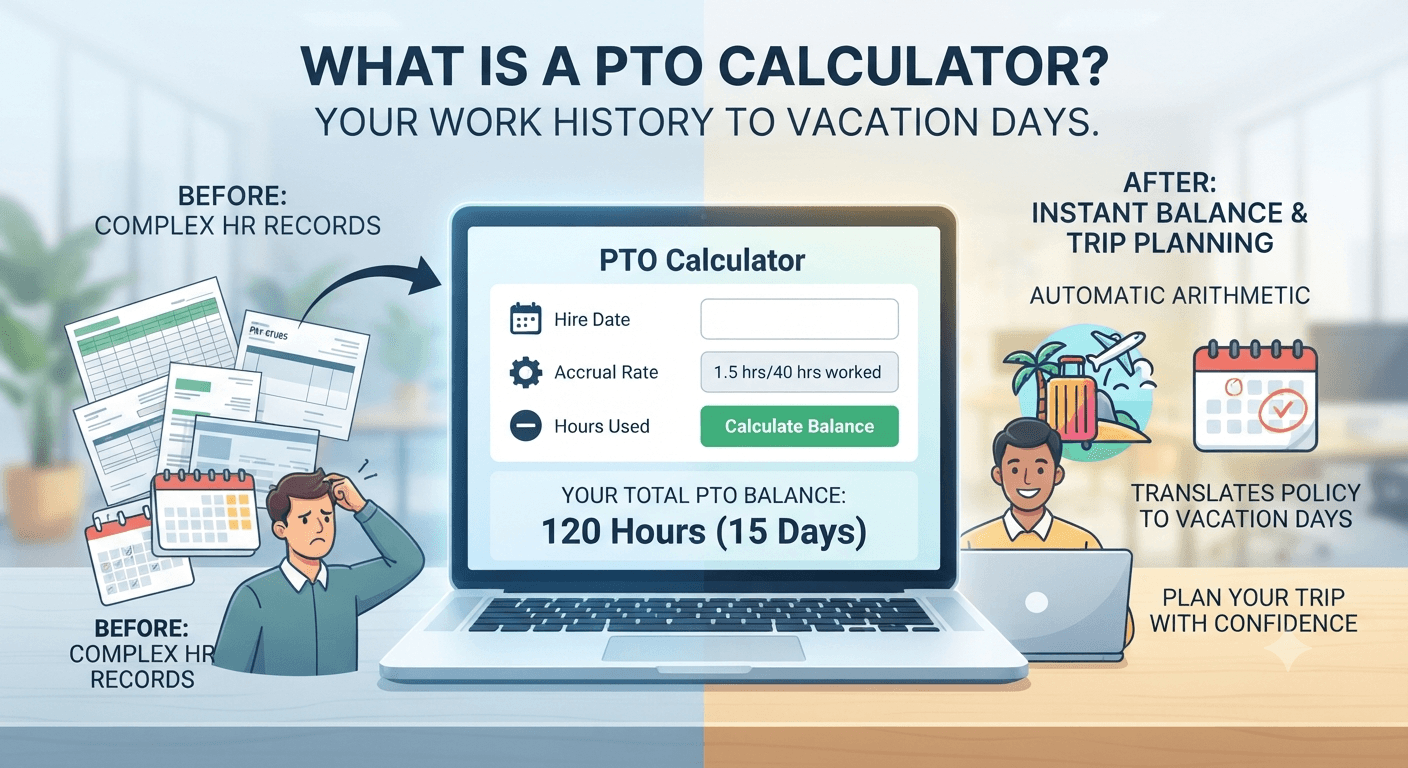
A PTO calculator is a small but genuinely useful tool that converts your work history into a paid-time-off balance. Instead of digging through pay stubs or asking HR to confirm a number, you enter a handful of details — your hire date, your accrual rate, hours already used — and the calculator does the arithmetic instantly.
Behind the simple interface, the tool is really just automating a repetitive calculation that used to live in HR spreadsheets. PTO, short for paid time off, usually bundles vacation days, personal days, and sometimes sick leave into a single bank of hours that grows over time. Because that bank grows at different speeds depending on the employer’s policy, a calculator has to account for several accrual styles, not just one flat formula.
If you’ve ever opened a payroll portal and stared at a PTO balance that didn’t match your own mental math, that gap is usually explained by one of the mechanics covered later in this guide — proration, rounding, or a policy change mid-year.
Why PTO Calculators Matter More in 2026
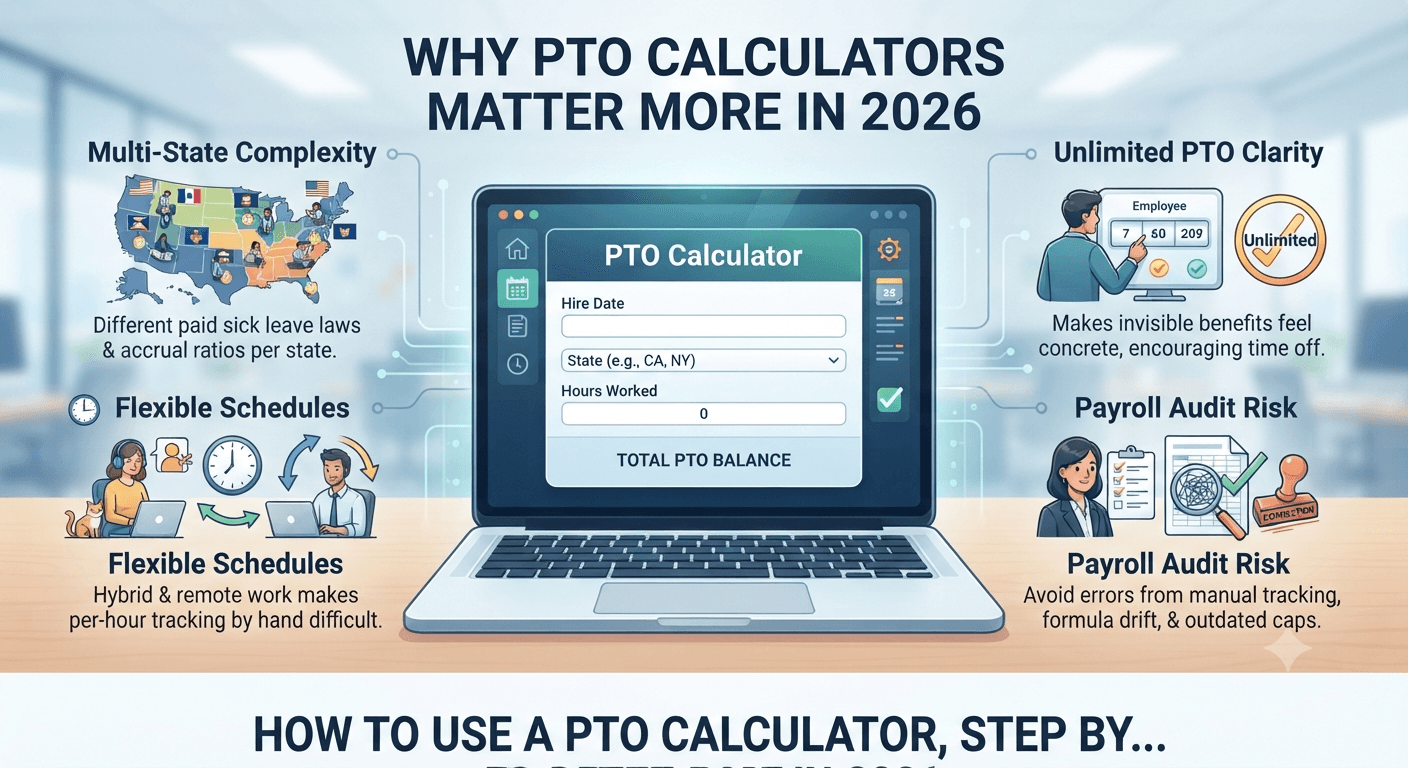
Paid leave policy has shifted noticeably over the past few years, and 2026 brings a few developments that make manual tracking riskier than it used to be.
- More states have active paid sick leave laws, each with its own accrual ratio, which means employees who move between states or work remotely across state lines often accrue leave differently than a coworker down the hall.
- Hybrid and flexible schedules are common, so hours worked no longer map neatly onto a standard 40-hour week, making per-hour accrual harder to track by hand.
- Unlimited PTO policies have grown more popular, and ironically, employees under these policies often use less time off because there’s no visible number counting up — a calculator helps make an invisible benefit feel concrete again.
- Payroll audits are catching more accrual errors, since manual tracking in spreadsheets is prone to formula drift, copy-paste mistakes, and outdated year-end carryover caps.
None of this means PTO tracking has become complicated for the end user — it just means the calculation happening underneath has more variables than it did a decade ago, which is exactly the kind of task a purpose-built calculator handles better than mental math.
How to Use a PTO Calculator, Step by Step
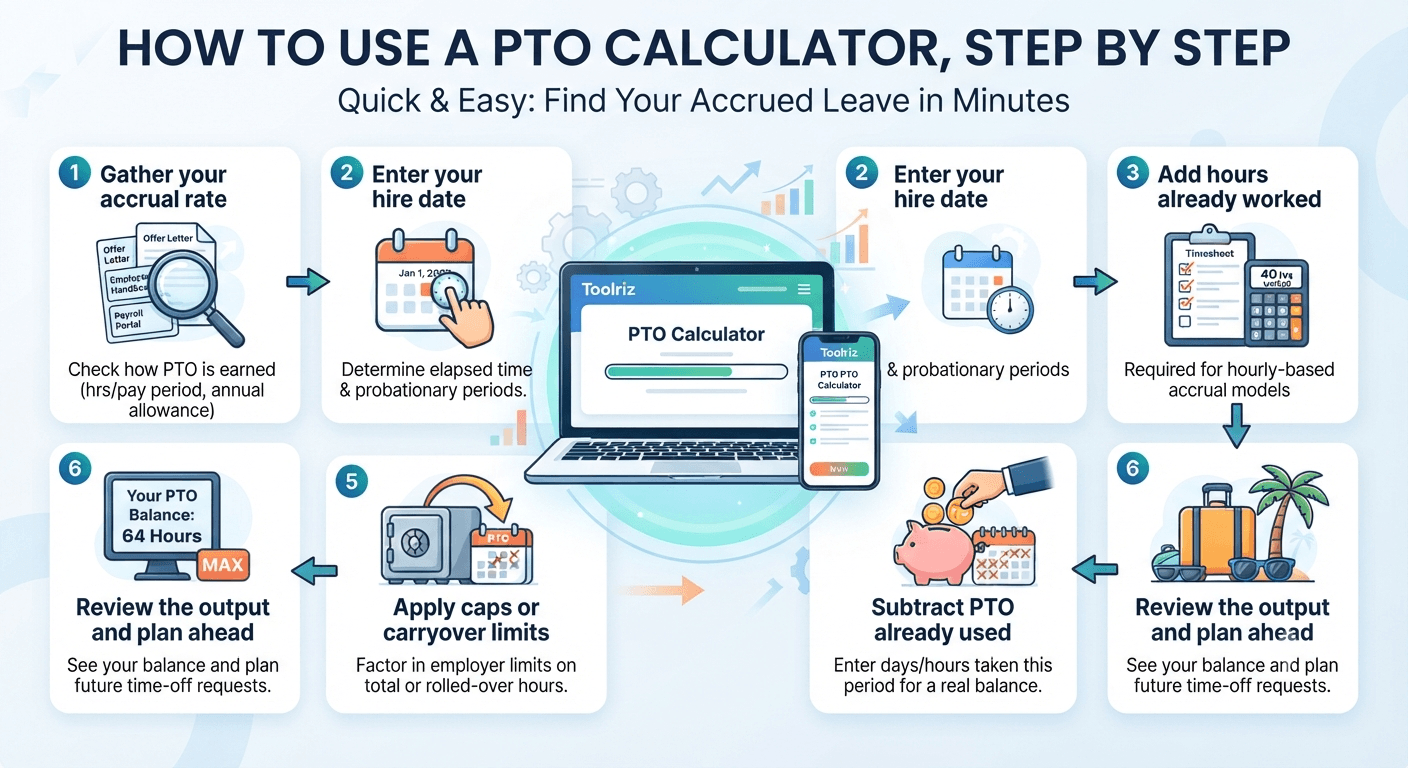
Using a PTO calculator takes about a minute once you know where to find your inputs. Here’s the process using a free tool like the Toolriz PTO Calculator.
-
1
Gather your accrual rate
Check your offer letter, employee handbook, or payroll portal for how PTO is earned — commonly expressed as hours per pay period, hours per hours worked, or a flat annual allowance divided across the year.
-
2
Enter your hire date or start of accrual period
Most calculators use this to determine how much time has elapsed and whether you’re still inside a probationary period where accrual may not apply yet.
-
3
Add hours already worked (if hourly-based accrual)
Hourly accrual models need actual hours logged, since PTO grows proportionally to time worked rather than time employed.
-
4
Subtract PTO already used
Enter any days or hours already taken this accrual period so the calculator returns your real, current balance rather than your gross accrued total.
-
5
Apply any caps or carryover limits
If your employer caps total accrual or limits how much rolls into the next year, factor that in — otherwise your projected balance may show hours you’ll never actually be allowed to bank.
-
6
Review the output and plan ahead
Once you have a balance, use it to plan requests in advance, especially around blackout periods or busy seasons when time-off requests get approved on a first-come basis.
Understanding PTO Accrual Methods
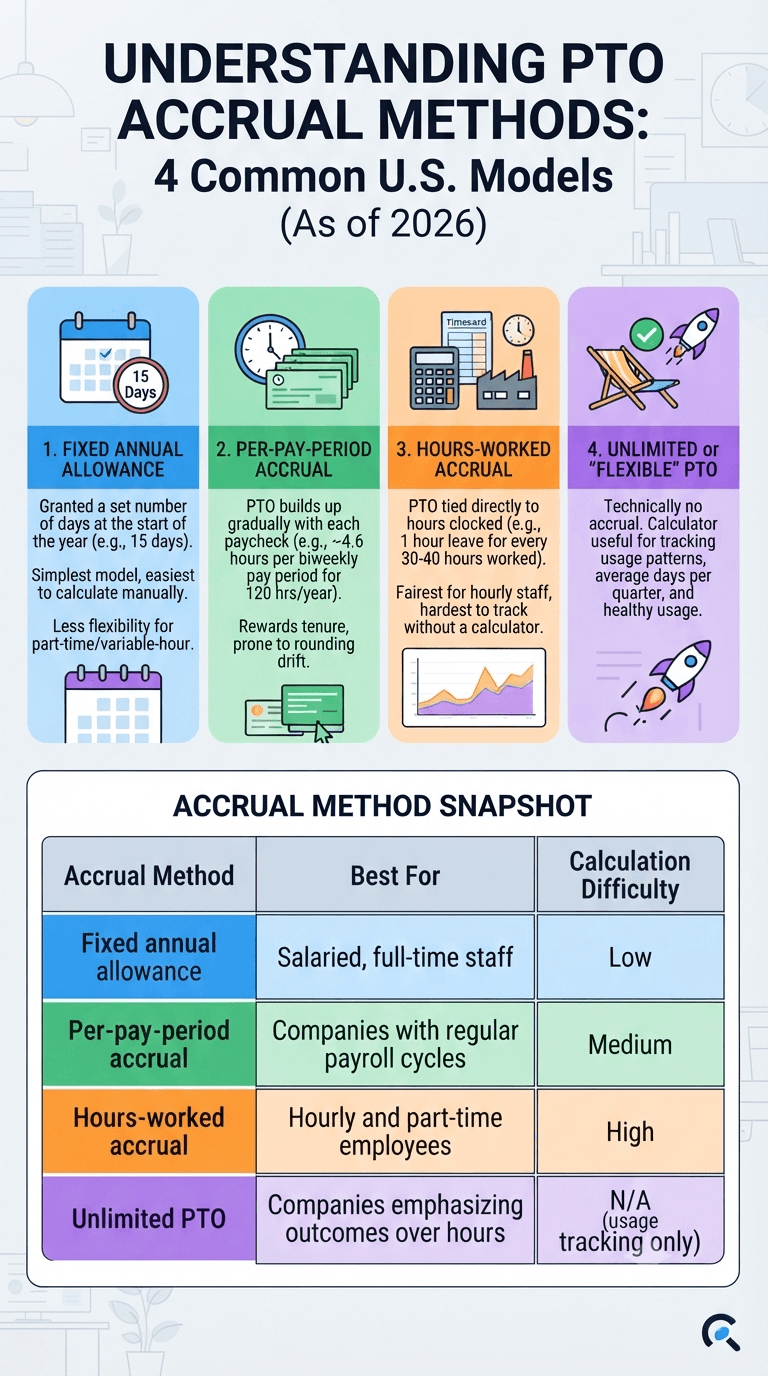
Before any calculator can give you a correct number, it needs to know which accrual model your employer uses. These are the four most common structures in the U.S. as of 2026.
1. Fixed annual allowance
You’re granted a set number of days at the start of the year — for example, 15 days — regardless of hours worked. This is the simplest model and the easiest to calculate manually, but it offers the least flexibility if you’re a part-time or variable-hour employee.
2. Per-pay-period accrual
PTO builds up gradually with each paycheck. If your annual allowance is 120 hours and you’re paid biweekly, you accrue roughly 4.6 hours every pay period. This model rewards longer tenure within the year and is the one most prone to rounding drift over 26 pay periods.
3. Hours-worked accrual
Common in states with paid sick leave mandates, this model ties PTO directly to hours clocked — often something like one hour of leave for every 30 or 40 hours worked. It’s the fairest model for part-time and hourly staff, but the hardest to track without a calculator, since it changes every pay cycle.
4. Unlimited or “flexible” PTO
Technically there’s no accrual to calculate, but a calculator is still useful here to track usage patterns, average days taken per quarter, and whether you’re actually using leave at a healthy rate compared to teammates on accrual-based plans.
| Accrual Method | Best For | Calculation Difficulty |
|---|---|---|
| Fixed annual allowance | Salaried, full-time staff | Low |
| Per-pay-period accrual | Companies with regular payroll cycles | Medium |
| Hours-worked accrual | Hourly and part-time employees | High |
| Unlimited PTO | Companies emphasizing outcomes over hours | N/A (usage tracking only) |
The Formulas Behind the Numbers
If you’d rather understand the math than take it on faith, here’s what a PTO calculator is actually computing under the hood for each method.
Per-pay-period formula
PTO per pay period = Annual PTO hours ÷ Number of pay periods per year

Example: 120 hours ÷ 26 biweekly pay periods = 4.62 hours per pay period
Hours-worked formula
PTO earned = (Hours worked ÷ Accrual threshold) × Hours earned per threshold

Example: 1,200 hours worked ÷ 30 hours × 1 hour earned = 40 hours of PTO
Current balance formula
Current balance = Total accrued to date − PTO already used − Any forfeited hours over cap
The third formula is where most manual tracking breaks down, because people forget to subtract used hours consistently or lose track of a mid-year policy change. A calculator applies the same formula every single time, which is exactly why it tends to be more reliable than a running mental tally.
Common Mistakes That Skew Your PTO Balance
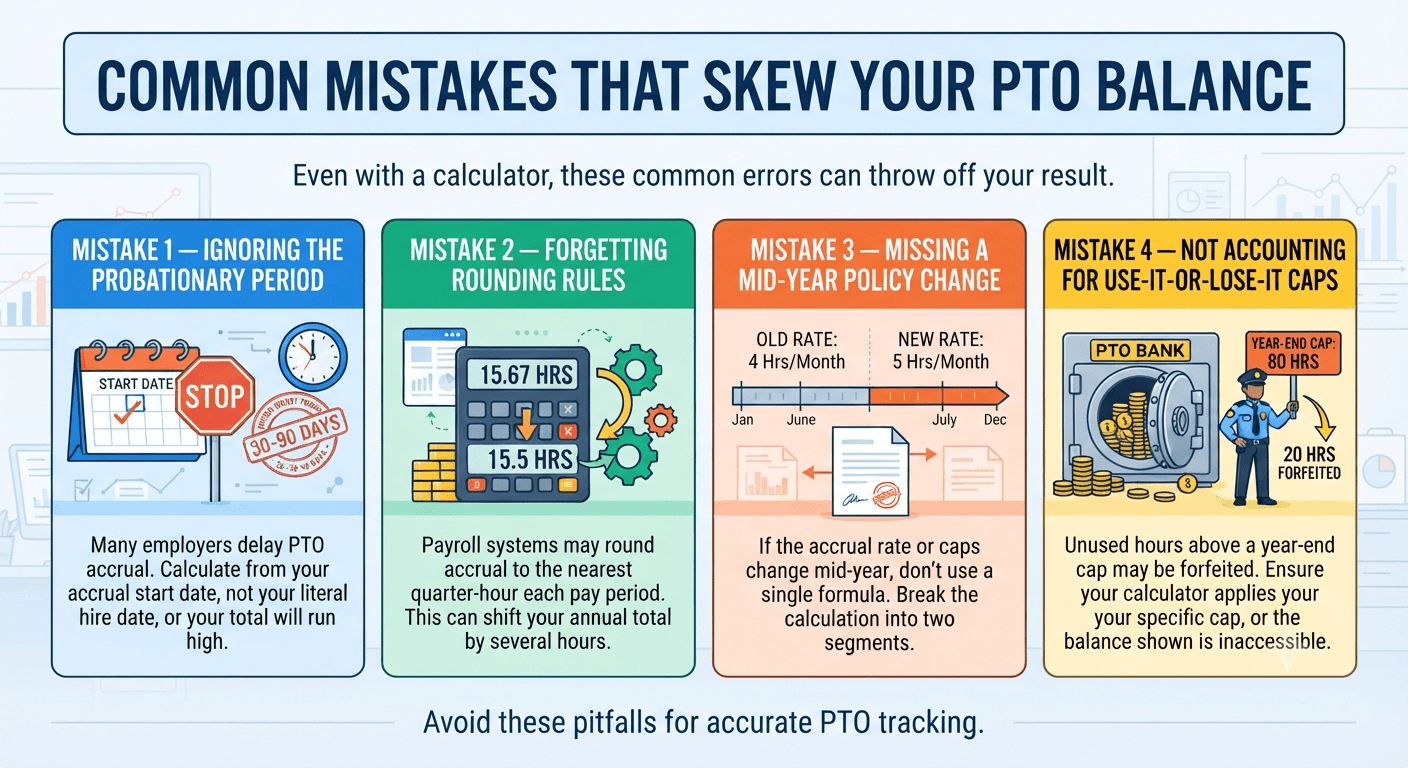
Even with a calculator, a few input errors can throw off your result. These are the ones we see most often.
Manual Tracking vs. a PTO Calculator
It’s worth being honest about when a spreadsheet is genuinely fine and when a calculator earns its keep.
| Factor | Manual Spreadsheet | Online PTO Calculator |
|---|---|---|
| Setup time | 15–30 minutes | Under 1 minute |
| Error risk | Higher — formula drift, manual entry | Low — fixed, tested logic |
| Handles multiple accrual models | Only if built by hand | Yes, by design |
| Accessible on mobile | Rarely convenient | Yes |
| Cost | Free, but time-intensive | Free |
Spreadsheets still make sense for HR teams running payroll for hundreds of employees with custom logic. For individuals checking their own balance, a dedicated calculator is almost always faster and less error-prone.
Best Practices for Employees and HR Teams
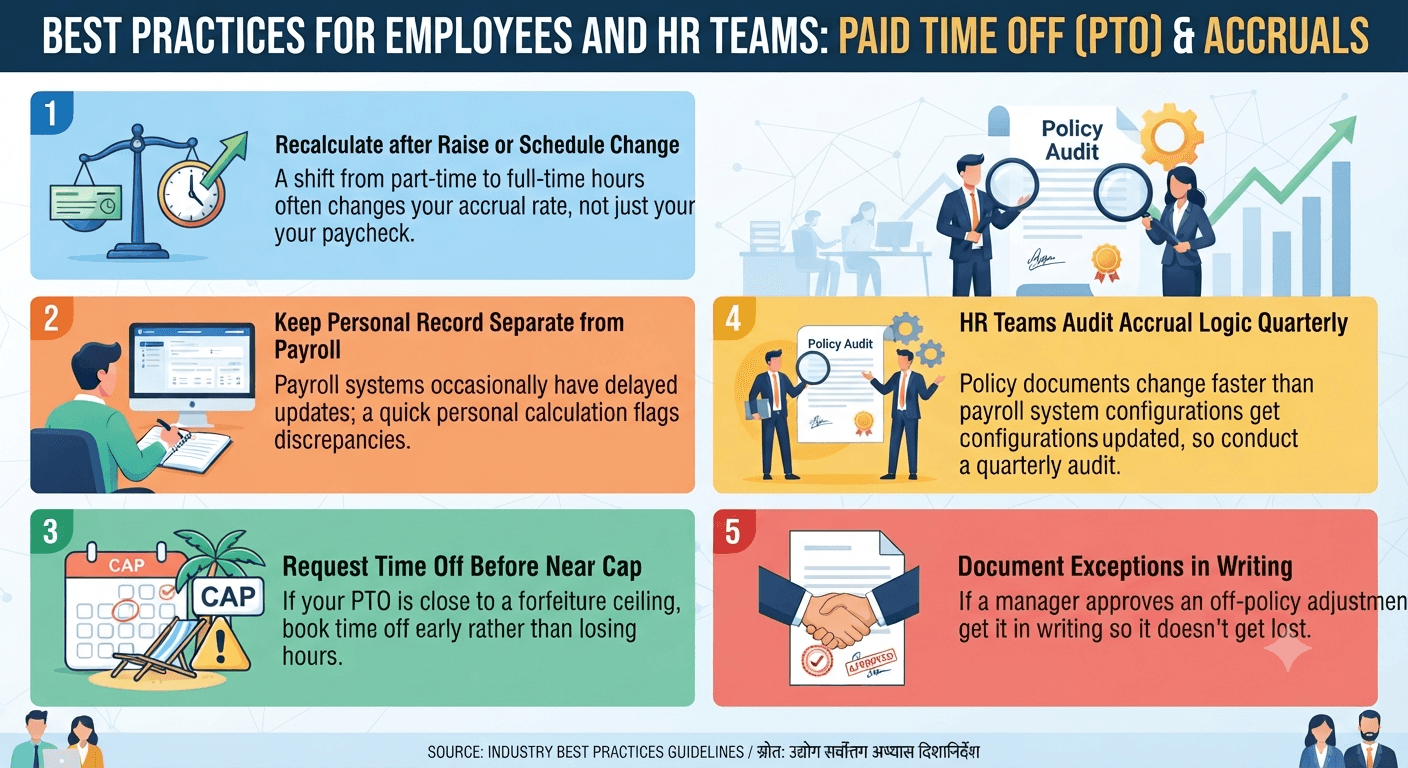
- Recalculate after every raise or schedule change. A shift from part-time to full-time hours often changes your accrual rate, not just your paycheck.
- Keep a personal record separate from payroll. Payroll systems occasionally have delayed updates; a quick personal calculation flags discrepancies before they compound.
- Request time off before you’re near a cap. If your PTO is close to a forfeiture ceiling, book time off early rather than losing hours at year-end.
- HR teams should audit accrual logic quarterly. Policy documents change faster than payroll system configurations sometimes get updated, and a quarterly audit catches drift early.
- Document exceptions in writing. If a manager approves an off-policy accrual adjustment, get it in writing so it doesn’t get lost in a future calculation.
Frequently Asked Questions
What is a PTO calculator used for?
How do I calculate my PTO accrual per pay period?
Does a PTO calculator work for hourly employees?
Is unused PTO paid out when I leave a job?
Is a PTO calculator free to use?
Calculate your PTO balance in under a minute
No sign-up, no spreadsheet. Enter your accrual details and get an accurate paid-time-off balance instantly.