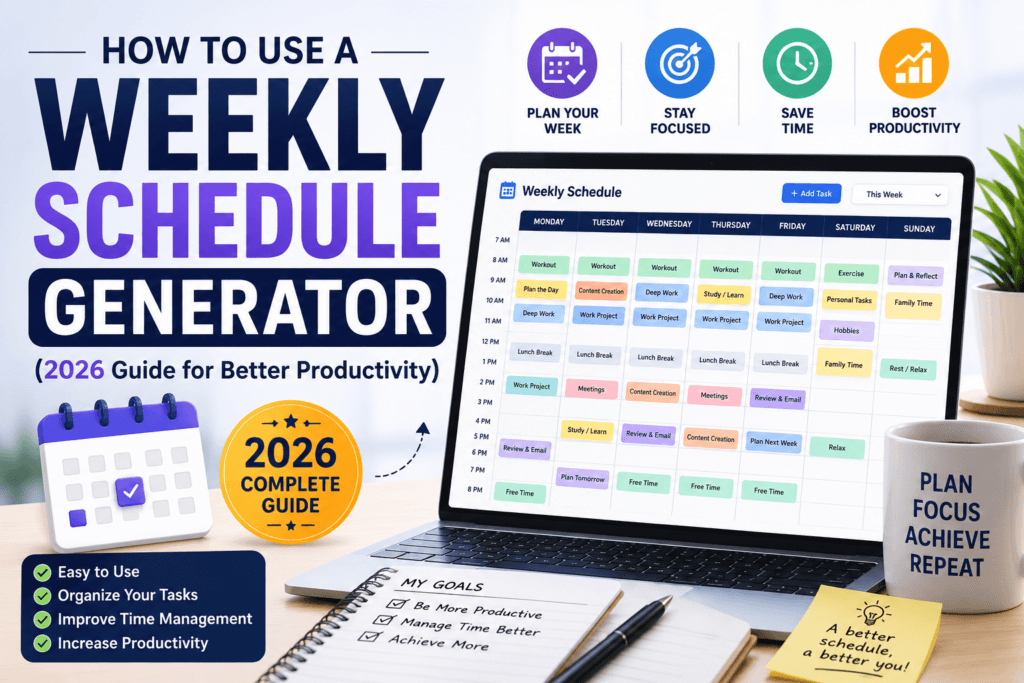
How to Use a Weekly Schedule Generator (2026 Guide for Better Productivity)
A practical, step-by-step walkthrough for turning a chaotic week into a clear, color-coded plan — in under five minutes, with no app download required.
Most people don’t fail at productivity because they lack discipline. They fail because they never actually see their week before it happens. A to-do list tells you what’s on your plate, but it says nothing about when any of it fits — so tasks pile up, meetings collide, and “deep work” quietly gets pushed to whatever scraps of time are left over. A weekly schedule generator fixes that one specific problem: it turns a list of tasks into an actual visual map of your seven days, so you can see conflicts before they happen instead of after.
This guide walks through exactly how to use one well in 2026 — not just how to fill in boxes, but how to build a weekly schedule that you’ll actually follow instead of abandoning by Wednesday.
- What a Weekly Schedule Generator Actually Does
- Try a Mini Live Demo
- Why a Visual Weekly Schedule Beats a To-Do List
- Step-by-Step: How to Build Your Weekly Schedule
- Weekly Schedule Templates by Lifestyle
- Time-Blocking Techniques That Make It Stick
- Common Mistakes When Scheduling a Week
- How to Keep Your Schedule Updated Without Starting Over
- Frequently Asked Questions
What a Weekly Schedule Generator Actually Does
A weekly schedule generator is a free online tool that lays your week out across a seven-day grid, typically broken into hourly or half-hourly blocks. Instead of manually drawing a grid in a notebook or fighting with calendar software built for meetings rather than personal planning, you simply type in your tasks, assign them a day and time block, and the tool arranges everything into a clean, readable layout you can view, print, or export.
The best generators, including the one on Toolriz’s free weekly schedule generator, let you color-code categories (work, personal, health, errands), drag blocks to adjust timing, and export the finished schedule as an image or PDF so it’s just as useful printed on your desk as it is open on your phone.
Try a Mini Live Demo
Type a task, pick a day, and click “Add” to see how a weekly schedule generator builds your week block by block. This is a simplified preview — the full tool has more days, time precision, and export options.
Mini Weekly Schedule Demo
This is a simplified in-article demo. For the full version with hourly time slots, drag-and-drop, color categories, and PDF export, use the link below.
Why a Visual Weekly Schedule Beats a To-Do List
A to-do list answers one question: what needs to get done. A weekly schedule answers three: what, when, and for how long. That third piece — duration — is the one most people skip, and it’s the reason tasks silently expand to fill far more time than they need.
Seeing your week as a grid also exposes conflicts immediately. If Tuesday already has back-to-back meetings from 9am to 4pm, a visual schedule makes that obvious before you commit to a 2pm dentist appointment. A list buried in an app does not.
| Tool | Shows Timing? | Shows Conflicts? | Shows Whole Week at Once? |
|---|---|---|---|
| Plain to-do list | No | No | No |
| Sticky notes | Sometimes | No | No |
| Generic calendar app | Yes | Yes | Yes, but cluttered with meeting invites |
| Weekly schedule generator | Yes | Yes | Yes, built specifically for personal planning |
Step-by-Step: How to Build Your Weekly Schedule
List everything before you schedule anything.
Write down every task, appointment, and commitment for the week first, without worrying about timing yet. Trying to plan and list at the same time usually means forgetting something important.
Add your fixed commitments first.
Work hours, classes, recurring meetings, and appointments go in first because they cannot move. Everything else gets built around them.
Block your highest-priority work next.
Place your most important or most demanding task in whichever time slot your energy and focus are naturally highest, rather than wherever happens to be free.
Color-code by category.
Assign a consistent color to work, personal, health, and errands. This turns a glance at your week into an instant read of how balanced it actually is.
Add buffer time between blocks.
Leave 10–15 minutes between major tasks. Back-to-back scheduling with zero buffer is the single most common reason a schedule falls apart by Tuesday afternoon.
Export, print, or pin it somewhere visible.
A schedule that lives three taps deep in an app gets ignored. Export it as an image or PDF and keep it somewhere you’ll actually see it daily.
Ready to build your real schedule? Use the full weekly schedule generator to add hourly blocks, assign categories and colors, and export a print-ready or shareable version of your week.
Build My Weekly Schedule →Weekly Schedule Templates by Lifestyle
For Students
Block class times first, then schedule study sessions immediately after the related lecture while the material is still fresh, and reserve at least one full evening per week with no academic work scheduled at all.
For Remote Workers
Group meetings into two or three clusters during the week instead of scattering them daily, and protect at least one long, uninterrupted block each day for focused work with notifications off.
For Parents
Anchor the week around fixed school or childcare pickup times, then build errands and personal tasks around those non-negotiable blocks rather than the other way around.
For Freelancers and Small Business Owners
Separate client-facing hours from admin and business-development hours, since mixing the two throughout the day tends to fragment focus on both.
Time-Blocking Techniques That Make It Stick
- Theme your days. Dedicate certain days primarily to one type of work (deep work, meetings, admin) instead of mixing every category every day.
- Batch similar tasks. Group emails, calls, or errands into one block instead of letting them interrupt focused work throughout the day.
- Use realistic durations. If a task usually takes 90 minutes, block 90 minutes, not 60 — optimistic time blocks are the fastest way to make an entire schedule collapse by mid-morning.
- Schedule recovery time, not just work. Breaks, meals, and downtime deserve a block just like meetings do; unscheduled time is usually the first thing that disappears.
Common Mistakes When Scheduling a Week
- Over-scheduling every single hour. A week with zero flexible time breaks the moment one task runs long.
- Ignoring personal energy patterns. Scheduling demanding work during your lowest-energy hours sets the task up to take longer than it should.
- Planning the week from a blank slate every time. Rebuilding from scratch weekly wastes time better spent adjusting a repeating template.
- Treating the schedule as fixed instead of a living plan. A schedule should flex when real life shifts it — rigidly forcing the original plan usually causes more stress than the disruption itself.
How to Keep Your Schedule Updated Without Starting Over
The easiest way to keep a weekly schedule sustainable is to build a repeating base template for your “normal” week — fixed work hours, recurring commitments, regular workouts — and then duplicate it each week, adjusting only the parts that actually change. This takes a few minutes instead of rebuilding the whole grid from zero, and it keeps the habit consistent enough to actually stick past the first few weeks.
Frequently Asked Questions
What is a weekly schedule generator?
A weekly schedule generator is a free online tool that automatically lays out your tasks, work blocks, and personal time across a seven-day grid, so you can see your entire week at a glance instead of building a calendar from scratch every time.
Is a weekly schedule generator free to use?
Yes, most weekly schedule generators, including the free version on Toolriz, require no signup and let you build, edit, and download a full weekly schedule at no cost.
What is the difference between a weekly schedule and a to-do list?
A to-do list only tells you what needs to get done, while a weekly schedule tells you when each task happens and how much time it gets, which is what actually prevents overbooking and last-minute conflicts.
How many hours should I block off for deep work each day?
Most productivity research suggests two to four hours of focused, uninterrupted deep work per day is sustainable for the average person, scheduled during whichever block of the day your energy and focus are naturally highest.
Can I export or print my weekly schedule?
Yes, a good weekly schedule generator lets you export your finished schedule as an image or PDF, or print it directly, so you can keep a physical copy on your desk or wall in addition to a digital version.
Final Thoughts
A weekly schedule generator doesn’t make you more disciplined — it just removes the guesswork of where your time actually goes, which is usually enough on its own to fix most of the chaos. Start with your fixed commitments, protect time for your highest-priority work, and build a repeatable template so future weeks take minutes instead of starting from zero.
Build your real weekly plan with the full weekly schedule generator, or explore the rest of the free online tools on Toolriz — no signup required for any of them.