

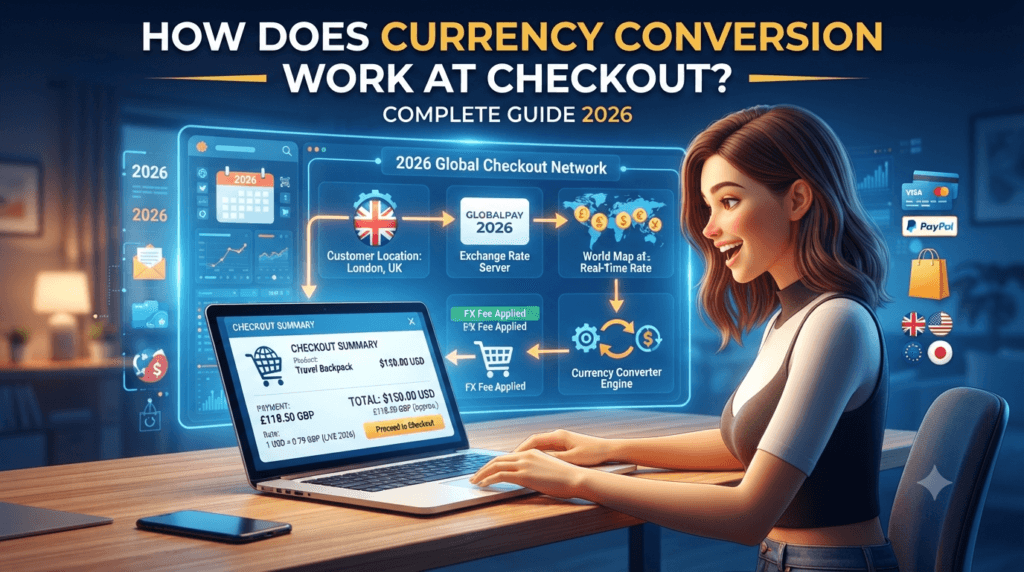
How Does Currency Conversion Work at Checkout? Complete Guide 2026
A no-nonsense, expert-level breakdown of what really happens when your card crosses borders—exchange rates, hidden markups, DCC traps, and practical strategies to keep more money in your pocket.
Currency conversion at checkout occurs when you pay in a currency different from the merchant’s settlement currency. Your payment processor—usually Visa, Mastercard, or a specialized gateway—converts the transaction amount using a live exchange rate, typically adding a 1% to 3% markup above the interbank rate. If you choose Dynamic Currency Conversion (DCC), the merchant’s processor does the conversion instead, often charging 3% to 7% more. The safest choice for most shoppers is to always pay in the local currency and use a no-foreign-transaction-fee card.
- What Is Currency Conversion at Checkout?
- The Step-by-Step Process: What Happens Behind the Scenes
- Exchange Rates Explained: Interbank, Mid-Market, and Retail
- Dynamic Currency Conversion vs. Paying in Local Currency
- Who Actually Does the Conversion? Key Players
- Fees and Markups: The Full Breakdown
- Real-World Example: Buying from a US Store with a Foreign Card
- How Online Checkout Currency Conversion Works
- 10 Proven Ways to Save on Currency Conversion
- The Merchant’s Perspective: Setting Up Multi-Currency Checkout
- Common Issues and How to Avoid Them
- The Future of Currency Conversion in 2026 and Beyond
- Frequently Asked Questions
What Is Currency Conversion at Checkout?
Every time you buy something from a website based in another country—or swipe your card while traveling abroad—you trigger a quiet but remarkably complex financial process called currency conversion at checkout. It is the invisible machinery that takes your US dollars and transforms them into euros, yen, pounds, or rupees before the merchant ever sees a payment.
Here is the simple version: you agree to pay $100 for a product listed in euros. Your bank does not physically send euros to the merchant’s bank. Instead, a payment network acts as a middleman, calculating the equivalent amount using a live exchange rate, adding its own small margin for the service, and settling the transaction in the merchant’s preferred currency. This all happens in milliseconds—usually faster than the time it takes for the checkout page to load the “Payment Successful” message.
But beneath that simplicity lies a layered system involving card networks, issuing banks, acquiring banks, payment gateways, and sometimes third-party currency conversion providers. Each one can take a tiny slice of your money along the way. Understanding how these layers work is the difference between paying a fair price and quietly losing 5% or more on every international purchase you make.
Currency conversion at checkout is not a single event—it is a chain of financial handshakes between your bank, the card network, the merchant’s bank, and potentially a third-party converter. Each party can apply a markup, which is why the final amount you pay often differs from what a simple Google search for the exchange rate suggests.
For American consumers, this topic has become increasingly relevant. The explosion of cross-border e-commerce means that millions of US shoppers regularly buy from international stores—whether it is ordering a niche product from a UK retailer, subscribing to a software service based in Ireland, or purchasing handmade goods from a seller in Japan. Each of these transactions involves currency conversion, and the costs can add up quickly if you are not paying attention.
The Step-by-Step Process: What Happens Behind the Scenes
To truly understand how currency conversion works at checkout, you need to follow a transaction from the moment you click “Pay” to the moment the merchant receives their money. Here is exactly what happens in those few seconds.
Transaction Initiation
You enter your card details and click “Pay.” The checkout page sends a payment authorization request to the payment gateway, including the purchase amount and the merchant’s settlement currency.
Currency Detection
The system detects that your card’s currency differs from the transaction currency. For example, your US-issued card is in USD, but the merchant charges in EUR. The conversion flag is triggered.
DCC Decision Point
If Dynamic Currency Conversion is available, you may see a screen offering to charge you in USD instead of EUR. This is where most consumers make costly mistakes—often without realizing it.
Rate Calculation
Based on your choice, either the card network or the DCC provider fetches a live exchange rate and applies its markup. The converted amount is calculated and locked in for this transaction.
Authorization
Your bank receives the authorization request with the final converted amount. If you have sufficient funds and the transaction is not flagged as suspicious, your bank approves it.
Settlement
The card network settles the transaction, paying the merchant’s bank in the merchant’s currency. Your bank charges your account in your home currency. The entire process typically completes in 1 to 3 seconds.
What makes this process fascinating—and frustrating—is that you rarely see the exchange rate being used until after the transaction is complete. Some checkout pages display an estimated conversion, but the actual rate is often applied at the moment the authorization request hits the card network, which can be seconds or even minutes after you clicked “Pay.” In volatile market conditions, exchange rates can shift meaningfully in that window.
Exchange Rates Explained: Interbank, Mid-Market, and Retail
If you have ever searched “USD to EUR” on Google and then noticed the rate your bank actually charged was different, you have encountered the gap between different types of exchange rates. This gap is one of the most misunderstood aspects of currency conversion, and it is where financial institutions make a significant portion of their money.
The Interbank Rate
The interbank rate—also called the wholesale rate—is the exchange rate that large banks use when trading currencies with each other. It is the purest, most competitive rate available, reflecting the real-time supply and demand in the global foreign exchange market. No consumer ever gets this rate directly. It is reserved for institutions moving millions or billions of dollars at a time.
The Mid-Market Rate
The mid-market rate is the midpoint between the “bid” (buy) and “ask” (sell) prices on the global currency market. This is the rate you see when you search for an exchange rate on Google, Reuters, or financial news sites. It is considered the fairest benchmark because it represents the real-time market consensus of what a currency is worth. Transparent currency conversion services—like our free currency converter tool—use the mid-market rate as their reference point.
The Retail Rate
The retail rate is what you actually pay as a consumer. It is the mid-market rate plus a markup applied by whoever is doing the conversion—your card network, your bank, or a DCC provider. This markup is how they profit from the service. Card networks like Visa and Mastercard typically add a markup of about 0.5% to 1% above the mid-market rate. Banks may add an additional 1% to 2% as a foreign transaction fee. DCC providers are the most aggressive, often adding 3% to 7% above the mid-market rate.
The exchange rate shown at checkout is NOT the mid-market rate. It almost always includes a built-in markup. Before accepting any conversion, compare the offered rate with a live mid-market rate using a reliable converter. If the difference is more than 1-2%, you are likely being overcharged.
It is also worth noting that exchange rates fluctuate constantly. The rate you see at 9:00 AM may be different from the rate at 9:05 AM. For small purchases, these micro-fluctuations are negligible. But for large transactions—say, buying a $2,000 piece of equipment from an overseas retailer—a 0.5% rate movement can mean a $10 difference. Some payment processors lock in the rate at the moment of authorization, while others use the rate at the time of settlement, which could be hours or even days later.
Dynamic Currency Conversion vs. Paying in Local Currency
This is the single most important decision you will make during any international checkout, and it is also the one where consumers lose the most money. Let us break it down clearly.
Dynamic Currency Conversion (DCC) is a service that allows you to pay in your home currency when making a purchase abroad or from a foreign website. At checkout, you see a screen that says something like: “Pay in USD: $105.30” or “Pay in EUR: €98.50.” It feels comforting to see the exact amount in dollars—no mental math required, no surprises on your statement. But this convenience comes at a steep price.
When you choose DCC, the conversion is handled by the merchant’s payment processor or a third-party DCC provider, not your card network. These providers are profit-driven businesses, and they embed their margin directly into the exchange rate they offer. Studies have consistently shown that DCC rates are 3% to 7% worse than what your card network would charge. On a $500 purchase, that is an unnecessary $15 to $35 extra.
When you choose to pay in the local currency, your card network (Visa, Mastercard, American Express) handles the conversion. They apply their own exchange rate, which is typically very close to the mid-market rate with a minimal markup of about 0.5% to 1%. Your bank may then add a foreign transaction fee, but if you have a no-foreign-transaction-fee card, you pay almost nothing extra.
| Feature | Pay in Local Currency | Dynamic Currency Conversion (DCC) |
|---|---|---|
| Who converts the currency | Your card network (Visa, Mastercard, etc.) | Merchant’s processor or third-party DCC provider |
| Exchange rate markup | 0.5% – 1% above mid-market | 3% – 7% above mid-market |
| Transparency | Rate visible on your card statement | Markup hidden in the rate itself |
| Best for | Almost all transactions | Budget tracking (at a cost) |
| Cost on a $1,000 purchase | $5 – $10 (with no-FTF card) | $30 – $70+ |
| Consumer protection | Card network dispute rights apply | Fewer protections, harder to dispute |
The golden rule of international checkout: Always choose the local currency. The only exception is if you have a card that charges a high foreign transaction fee AND the DCC markup happens to be lower than that fee—a rare scenario. When in doubt, use our live currency converter to compare the DCC rate with the real mid-market rate before deciding.
Who Actually Does the Conversion? Key Players Explained
Currency conversion at checkout involves multiple entities, each playing a specific role and potentially taking a cut. Understanding who these players are will help you make better decisions about how to pay.
Card Networks (Visa, Mastercard, American Express)
Card networks are the primary converters for most international transactions. When you pay in the local currency, Visa or Mastercard applies their own exchange rate—updated daily or even hourly—which is typically within 0.5% to 1% of the mid-market rate. American Express handles conversion similarly but tends to have slightly wider spreads on less common currency pairs. These networks also charge the merchant an interchange fee, but that does not directly affect the exchange rate you see.
Issuing Banks
Your bank—the institution that issued your credit or debit card—sits between you and the card network. Some banks add a foreign transaction fee on top of the network’s exchange rate, typically ranging from 1% to 3%. This fee is usually disclosed in your card’s terms and conditions. Many premium and travel-focused cards now charge 0% foreign transaction fees, making them the best choice for international purchases. Capital One, Chase Sapphire, and Discover cards are well-known for offering fee-free international transactions.
Payment Gateways and Processors
For online purchases, the payment gateway (such as Stripe, PayPal, Adyen, or Braintree) plays a critical role. Some gateways offer their own currency conversion services, often with built-in markups. PayPal, for example, is notorious for adding a 3% to 4% spread on currency conversions. If you use PayPal for an international purchase, always check whether you can switch to your card’s conversion instead of PayPal’s.
DCC Providers
These are specialized companies that partner with merchants to offer Dynamic Currency Conversion. Companies like Euronet, FEXCO, and Planet provide the technology that presents the “Pay in your home currency” option. Their business model is built on the markup they embed in the exchange rate, which is shared with the merchant as a commission. This is why merchants and ATMs often aggressively push DCC—it is profitable for them.
Multi-Currency Wallets
Services like Wise (formerly TransferWise), Revolut, and Curve offer an alternative approach. They allow you to hold balances in multiple currencies and convert at rates very close to the mid-market rate, usually with a transparent fee of 0.3% to 1%. These services can be significantly cheaper than traditional card conversion, especially for frequent international shoppers or travelers.
Fees and Markups: The Full Breakdown
Let us talk about the actual costs. When you make an international purchase, you may encounter several layers of fees. Here is a comprehensive breakdown of every fee that could apply to your transaction.
1. Card Network Exchange Rate Markup
Visa and Mastercard add approximately 0.5% to 1% above the mid-market rate. This is built into the exchange rate they use and is not separately disclosed. American Express may add slightly more, particularly for less-traded currency pairs.
2. Foreign Transaction Fee (Issuer Surcharge)
Many banks charge a fee of 1% to 3% on transactions processed in a foreign currency. This appears as a separate line item on your statement. Some cards waive this fee entirely—look for cards explicitly labeled “no foreign transaction fee.”
3. DCC Markup
If you choose Dynamic Currency Conversion, the DCC provider adds a markup of 3% to 7% above the mid-market rate. This is hidden inside the exchange rate, making it difficult to detect unless you compare it with a live rate.
4. PayPal or Gateway Conversion Fee
When PayPal or another gateway handles the conversion, they typically add 3% to 4% above the mid-market rate. PayPal also charges a cross-border fee on top, which can add another 0.5% to 1.5% depending on the countries involved.
5. ATM Withdrawal Fees (For Travelers)
If you withdraw cash abroad, you may face an ATM operator fee ($2 to $5), your bank’s ATM fee ($2 to $5), and a foreign transaction fee (up to 3%). Some banks also charge a separate cash advance fee for credit card withdrawals.
6. Currency Conversion Spread on Refunds
A commonly overlooked cost: if you return an item purchased in a foreign currency, the refund is converted back at the rate on the refund date—not the original purchase date. If the exchange rate moved against you, you could lose money on the return even though the merchant refunded the full amount.
Buying a €200 product with a US-issued card
Mid-market rate: 1 EUR = 1.08 USD (so €200 = $216.00)
As you can see, the choices you make at checkout can cost—or save—you up to 5% on every international transaction. Over a year of regular cross-border shopping, these savings can easily add up to hundreds of dollars.
Real-World Example: Buying from a US Store with a Foreign Card
Let us walk through a concrete scenario that many international shoppers encounter. Suppose you live in Germany and want to buy a $150 pair of shoes from a US-based online store. The store prices in USD. Your card is in EUR. Here is exactly what happens.
When you reach checkout, the payment gateway detects that your card’s currency (EUR) differs from the store’s currency (USD). You are presented with a choice: pay $150 in USD, or pay approximately €142.50 in EUR through DCC. The DCC rate offered is 1 USD = 0.95 EUR.
But the actual mid-market rate at that moment is 1 USD = 0.92 EUR. That means the DCC provider is offering a rate that is roughly 3.3% worse than the market rate. If you choose DCC, you pay €142.50. If you choose to pay in USD, Visa converts $150 at their rate of approximately 0.922 EUR per dollar, giving you a charge of €138.30. Your bank then adds a 1% foreign transaction fee of €1.38, bringing your total to €139.68.
The difference: €142.50 (DCC) versus €139.68 (local currency) = €2.82 saved by choosing local currency. That is about 2% of the purchase price, simply for making a different choice at checkout.
The DCC screen is designed to feel like the “safe” choice. It shows you a familiar amount in your own currency. But the safety is an illusion—you are simply paying a hidden premium for the convenience. The truly safe choice is almost always to pay in the merchant’s local currency and let your card network handle the conversion.
How Online Checkout Currency Conversion Works
Online checkout introduces additional layers compared to in-person transactions. When you buy from an international website, the conversion process depends on how the merchant has configured their payment system. There are three common models.
Model 1: Merchant Sets Price in Your Currency
Some large international retailers—like ASOS, Amazon, or AliExpress—detect your location and display prices in your local currency. In this case, the merchant is doing the conversion before you even reach checkout. The price you see includes their exchange rate and markup. This is convenient but can be expensive, as the merchant’s rate is often 2% to 4% worse than your card network’s rate. Some merchants also use a pricing strategy called “rounded conversion,” where they round prices up to psychologically appealing numbers, further increasing their margin.
Model 2: Gateway Handles Conversion
Many mid-size merchants use payment gateways like Stripe or PayPal that offer built-in currency conversion. When you check out, the gateway converts the amount using its own exchange rate. Stripe’s rates are typically reasonable—within 1% to 2% of the mid-market rate—but PayPal’s rates can include a 3% to 4% spread. Some gateways let you choose who handles the conversion; always opt for your card network if possible.
Model 3: Card Network Handles Conversion
The most transparent model is when the merchant charges in their local currency and your card network does the conversion. You see the merchant’s original price, and the converted amount appears on your card statement with the exchange rate clearly listed. This is the model that gives you the best rate, especially if you have a no-foreign-transaction-fee card.
Before completing any international online purchase, take a moment to check which model is being used. If the checkout page shows prices in your home currency without explicitly stating the exchange rate, you are likely in Model 1 or 2, and you are probably paying a markup. If you can switch the currency display to the merchant’s local currency, do so.
10 Proven Ways to Save on Currency Conversion
Now that you understand how currency conversion works, here are ten actionable strategies to minimize the cost of every international transaction you make.
- Get a no-foreign-transaction-fee credit card. Cards like the Capital One Venture, Chase Sapphire Preferred, and Discover it Miles charge 0% on foreign transactions. This alone saves you 1% to 3% on every international purchase. If you shop internationally even occasionally, this is the single highest-impact change you can make.
- Always choose local currency at checkout. Whether you are at a physical store, an ATM, or an online shop, always select the merchant’s currency. This ensures your card network—not a DCC provider—handles the conversion at a fairer rate.
- Use a multi-currency wallet for large purchases. Services like Wise and Revolut let you convert money at near-mid-market rates and hold it in multiple currencies. If you know you will be making several purchases in a particular currency, convert a lump sum in advance and pay directly from that balance.
- Avoid PayPal’s currency conversion. When paying through PayPal for an international purchase, look for the option to “pay in the seller’s currency.” This forces your card to handle the conversion instead of PayPal, typically saving 2% to 4%.
- Compare rates before big purchases. For transactions over $500, spend 30 seconds comparing the checkout rate with a live currency converter. If the markup exceeds 2%, consider using a different payment method.
- Watch out for weekend rate lock-in. Currency markets close on weekends. If you make a purchase on Saturday or Sunday, your card network may use Friday’s closing rate—and if rates moved favorably over the weekend, you miss out. For large purchases, try to time them during market hours.
- Be careful with refunds. If you return an item bought in a foreign currency, the refund is processed at the exchange rate on the refund date, not the purchase date. Currency fluctuations mean you could receive less (or more) than you originally paid.
- Use digital wallets strategically. Apple Pay and Google Pay pass the conversion to your underlying card, so they inherit whatever rate and fees your card has. They do not add their own markup, making them safe to use internationally.
- Check your bank’s debit card policies. Some banks charge higher foreign transaction fees on debit cards than credit cards. Check the fee schedule for your specific account, and use whichever card offers the better rate.
- Consider travel cards for frequent international use. If you travel abroad regularly or shop from international websites often, a dedicated travel rewards card with no foreign transaction fees, no ATM fees, and competitive exchange rates can save you hundreds of dollars per year.
The Merchant’s Perspective: Setting Up Multi-Currency Checkout
If you are a US-based merchant selling internationally, how you set up currency conversion at your checkout can significantly impact both your conversion rates and your profit margins. Let us look at this from the other side of the counter.
Merchants have several options for handling international payments. The simplest is to charge in USD only and let the customer’s card handle the conversion. This is transparent and low-cost for the merchant, but it can reduce conversion rates because international customers may be hesitant to buy when they do not know the exact amount in their own currency.
A more sophisticated approach is to use a multi-currency payment gateway that displays prices in the customer’s local currency. Platforms like Shopify, WooCommerce (with plugins), and BigCommerce offer built-in multi-currency support. The merchant can either set manual exchange rates or use live rates from their payment processor. The key decision is whether to absorb the conversion cost or pass it on to the customer through slightly higher prices.
Some merchants partner with services like Currency Cloud or Wise for Business to handle multi-currency settlement. These services allow merchants to receive payments in multiple currencies and hold balances in each, avoiding repeated conversion costs. This is particularly valuable for merchants with significant international sales volume.
A growing trend in 2026 is the use of localized pricing—where merchants set specific prices for each market rather than simply converting a base price. A product that costs $100 in the US might be priced at €95 in Europe and £85 in the UK, reflecting local market conditions, purchasing power, and psychological pricing norms. This approach requires more management but can significantly improve international conversion rates.
If you sell internationally, the most impactful thing you can do is display prices in your customer’s local currency while settling in your own. This increases trust and conversion rates without exposing you to currency risk. Use a reputable payment gateway that handles this automatically, and be transparent about any conversion fees.
Common Issues and How to Avoid Them
Even with a solid understanding of how currency conversion works, things can go wrong. Here are the most common issues consumers face and how to handle them.
Issue 1: Unexpected Charges After Purchase
Sometimes the amount on your card statement is higher than what the checkout page showed. This usually happens because the exchange rate changed between authorization and settlement, or because your bank applied a foreign transaction fee that was not displayed at checkout. Solution: Always check your card’s fee schedule, and use a no-FTF card for international purchases.
Issue 2: Double Conversion
In rare cases, a payment is converted twice—once by the DCC provider and again by your card network. This can happen if you choose DCC and your bank also applies a foreign transaction fee. Solution: Always choose local currency to ensure only one conversion occurs.
Issue 3: Blocked Transactions
Some banks block international transactions by default as a fraud-prevention measure. You try to check out, and your card is declined. Solution: Notify your bank before making international purchases, or set a travel notice through your banking app.
Issue 4: Unfavorable Refund Rates
If you return an international purchase, the refund amount in your currency may be less than what you paid due to exchange rate movements. Solution: This is largely unavoidable, but you can minimize the risk by returning items promptly and being aware of currency trends.
Issue 5: PayPal’s Hidden Conversion Fee
PayPal makes it easy to pay internationally, but their conversion rates are among the worst in the industry. Solution: Always select “Pay in seller’s currency” when using PayPal for international purchases. This forces your card to handle the conversion at a better rate.
The Future of Currency Conversion in 2026 and Beyond
The world of currency conversion is evolving rapidly. Several trends are reshaping how cross-border payments work, and consumers stand to benefit significantly from these changes.
Real-Time Payments and Instant Settlement
The rollout of real-time payment systems around the world—such as FedNow in the US, Pix in Brazil, and UPI in India—is reducing the time lag between transaction and settlement. This means exchange rates are locked in more precisely, reducing the risk of rate fluctuations between authorization and settlement.
Stablecoins and Crypto Payments
Cryptocurrency—particularly stablecoins like USDC and USDT—is emerging as a viable alternative for cross-border payments. Stablecoins offer near-instant settlement, minimal fees (often less than 0.1%), and no currency conversion markup at all. Several payment processors, including Stripe and PayPal, now support stablecoin payments. While adoption is still in early stages, this could fundamentally change the economics of cross-border commerce by 2027.
AI-Driven Rate Optimization
Some modern payment platforms are using artificial intelligence to optimize currency conversion in real time. These systems analyze market conditions, historical rate patterns, and the specific currencies involved to determine the optimal moment to execute a conversion. While this technology is primarily used by large merchants and financial institutions, it is gradually trickling down to consumer-facing applications.
Open Banking and Multi-Currency Accounts
Open banking regulations in the US and Europe are making it easier for consumers to hold and manage multiple currencies through a single app. Services like Wise, Revolut, and Monzo already offer this, but broader adoption is expected as regulatory barriers continue to fall. By 2027, it is likely that most major banks will offer some form of multi-currency account as a standard feature.
Reduced DCC Aggressiveness
Regulatory pressure in Europe and parts of Asia is forcing DCC providers to be more transparent about their markups. The European Union has introduced rules requiring DCC screens to display the mid-market rate alongside the offered rate, making it easier for consumers to see the cost. Similar regulations may come to the US, which would significantly reduce the profitability of DCC and push more transactions toward fair-rate card network conversion.
🔑 Key Takeaways
- Currency conversion at checkout involves multiple parties, each potentially adding a markup to the exchange rate.
- Always choose to pay in the merchant’s local currency—this single decision can save you 3% to 7% per transaction.
- Use a no-foreign-transaction-fee credit card for all international purchases to eliminate the 1% to 3% issuer surcharge.
- The mid-market rate is the benchmark—compare any offered rate against it using a reliable converter before accepting.
- Avoid PayPal’s currency conversion and DCC screens, as both typically embed significant hidden markups.
- The future points toward cheaper, faster, and more transparent cross-border payments through stablecoins, real-time systems, and open banking.
Check Live Exchange Rates Before You Check Out
Don’t guess—know the real exchange rate before making any international purchase. Our free currency converter uses live mid-market rates so you can compare with what your checkout page is offering.
Frequently Asked Questions
Currency conversion at checkout happens when a customer pays in a currency different from the merchant’s settlement currency. The payment processor or card network converts the amount using a live exchange rate—often with a small markup—and the final charge reflects the converted amount plus any applicable fees. The process typically completes in 1 to 3 seconds and involves your bank, the card network, the merchant’s bank, and sometimes a third-party conversion provider.
DCC is a service offered at checkout that lets customers pay in their home currency instead of the merchant’s local currency. While it shows the exact amount you’ll be charged in familiar currency, it almost always includes a hidden markup exchange rate—typically 3% to 7% above the mid-market rate—making the transaction more expensive than paying in local currency.
In almost all cases, you should choose to pay in the local currency. Card networks like Visa and Mastercard typically offer exchange rates within 0.5% to 1% of the mid-market rate, while DCC providers often add 3% to 7% in hidden margins. On a $500 purchase, choosing local currency over DCC can save you $15 to $35.
The total cost varies by provider but typically includes a card network exchange rate markup of 1% to 3%, a potential foreign transaction fee from your card issuer (0% to 3%), and a DCC markup of 3% to 7% if you choose that option. With a no-foreign-transaction-fee card and local currency selection, your total cost can be as low as 0.5% to 1% above the mid-market rate.
No. Many modern travel credit cards and premium cards charge 0% foreign transaction fees. Popular options include the Capital One Venture Rewards, Chase Sapphire Preferred, Discover it Miles, and Bank of America Travel Rewards. Check your card’s terms before making international purchases to avoid unexpected charges.
Yes. PayPal’s currency conversion rates typically include a 3% to 4% spread above the mid-market rate, plus a potential cross-border fee of 0.5% to 1.5%. To avoid this, select “pay in the seller’s currency” when checking out through PayPal, which lets your card network handle the conversion at a much better rate.
You cannot completely avoid the card network’s exchange rate markup (typically 0.5% to 1%), but you can come very close. Using a no-foreign-transaction-fee card, choosing local currency, and using multi-currency wallets like Wise can bring your total conversion cost down to under 1% of the transaction amount.
Google shows the mid-market rate, which is the midpoint between buy and sell prices on the global market. Your card network applies a markup of 0.5% to 1% above this rate, and your bank may add a foreign transaction fee. Additionally, exchange rates fluctuate constantly, so the rate at the exact moment your transaction was processed may differ from when you searched Google.
📚 Sources & References
- Visa International Exchange Rate Documentation
- Mastercard Currency Conversion Rate Guidelines
- European Consumer Organisation (BEUC) — DCC Report
- Consumer Financial Protection Bureau (CFPB) — Cross-Border Payment Guidelines
- Federal Reserve — FedNow Service Documentation
- Stripe Documentation — Multi-Currency Processing
- Wise (TransferWise) — Transparent Pricing Model
- PayPal User Agreement — Currency Conversion Fees