

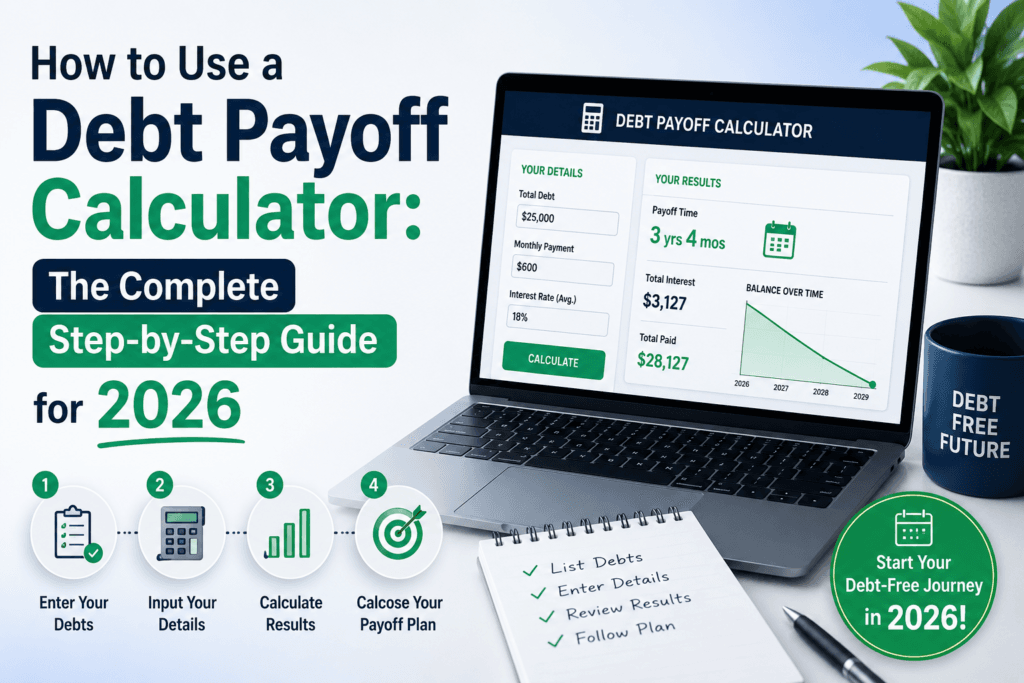
How to Use a Debt Payoff Calculator: The Complete Step‑by‑Step Guide for 2026
A plain-English walkthrough for anyone who wants an exact, honest answer to “when will I actually be debt-free?” — plus how to read the numbers, avoid common mistakes, and pick the right payoff strategy for your situation.
Quick Answer
A debt payoff calculator is a free online tool that takes your balances, interest rates, and monthly payment amount, then tells you exactly how many months it will take to become debt-free and how much interest you’ll pay along the way. To use one, you enter each debt’s balance and APR, choose a payoff strategy (avalanche or snowball), set your monthly budget, and the calculator instantly generates your personalized payoff timeline. You can try the free Debt Payoff Calculator here — no signup or spreadsheet required.
If you’ve ever opened a banking app, stared at three or four different balances, and felt your stomach tighten because you genuinely have no idea when any of it will be paid off — you’re not alone. Most people carrying revolving debt have never actually calculated a real payoff date. They know the minimum payment. They don’t know the finish line.
That gap between “paying every month” and “knowing when it ends” is exactly what a debt payoff calculator closes. It’s a small tool, but it changes the way people think about money, because it turns an abstract worry into a concrete number: 27 months, $2,140 in interest, done by March 2028. Once you can see the finish line, it becomes something you can actually plan around instead of something you avoid thinking about.
This guide walks through exactly how to use one, what every field and result actually means, and how to combine it with a real strategy so the number on the screen becomes the number in your bank account.
What Is a Debt Payoff Calculator, Exactly?
A debt payoff calculator is a financial planning tool that projects how long it will take to pay off one or more debts based on three inputs: the current balance, the interest rate (APR), and the payment amount you’re able to put toward it each month. Behind the scenes, it’s running the same amortization math a bank uses internally — it just does it instantly and shows you the result in plain terms instead of burying it in a loan statement.
Unlike a basic loan calculator, a proper debt payoff tool is built to handle multiple debts at once — your credit cards, a car loan, a personal loan, maybe student loan payments — and tell you the order to attack them in so you get out of debt in the least amount of time, for the least amount of interest.
Why an Accurate Calculator Matters More in 2026
Interest rates on revolving credit have stayed elevated over the past few years, which means the cost of carrying a balance is higher than it was a decade ago. A few percentage points of APR on a credit card balance can add hundreds of dollars in interest over a year without you noticing, because minimum payments are structured to feel small.
This is where the tool earns its keep. Instead of guessing, you get a precise, personalized projection based on your actual numbers — not a generic rule of thumb. That precision matters for three reasons:
- It shows the true cost of “minimum payments only.” Most people are shocked the first time they see how many years — and how many extra dollars in interest — the minimum-payment path actually takes.
- It shows the payoff of paying even $50 more per month. Small increases in your monthly payment often cut months, sometimes years, off the timeline.
- It removes the guesswork from prioritizing debts. When you have more than one balance, the order you pay them off in changes your total interest cost significantly.
How to Use the Debt Payoff Calculator: Step by Step
Here’s the exact process, using the free Debt Payoff Calculator. It takes about two minutes once you have your statements in front of you.
- Gather your debt statements. Pull up each balance you want to include — credit cards, personal loans, auto loans, or private student loans. You’ll need the current balance and the interest rate (APR) for each one, both of which are on your latest statement or online account dashboard.
- Enter each debt’s balance. Add every debt you want the calculator to include. Leaving one out won’t break anything, but your total payoff timeline will only reflect what you’ve entered.
- Input the interest rate for each debt. This is the field people most often skip or estimate — don’t. A one or two percent difference in APR can shift your projected interest cost by a meaningful amount over a multi-year payoff.
- Set your monthly payment amount. Decide how much total you can realistically put toward debt each month, combining minimums plus any extra you want to add. Be honest here — a number you can’t sustain will give you a timeline you can’t hit.
- Choose your strategy: avalanche or snowball. The calculator lets you compare paying off the highest-interest debt first (avalanche) versus the smallest-balance debt first (snowball). More on the difference below.
- Review your results and adjust. The calculator will show your payoff date, total interest paid, and a month-by-month breakdown. Try increasing your monthly payment by even $25–$50 to see how much time and interest it saves — this is usually the most eye-opening part of the process.
Understanding Your Results
Once you run the numbers, the calculator typically returns four key outputs. Here’s what each one actually tells you:
Payoff date
This is the calendar month you’ll make your final payment if you stick to the plan exactly as entered. It’s the single most useful number in the whole tool, because it turns “someday” into an actual date you can put on a calendar or a whiteboard.
Total interest paid
This shows the full cost of borrowing over the life of the payoff plan — money that goes to the lender, not toward your balance. Comparing this number across different monthly payment amounts is usually what motivates people to pay more than the minimum.
Month-by-month breakdown
A schedule showing how each payment splits between interest and principal, and how your remaining balance shrinks over time. Early in a payoff plan, a larger share of each payment goes to interest; that share flips as the balance drops.
Time and interest saved by strategy
If you compare avalanche versus snowball, the calculator shows the difference in months and dollars between the two approaches, so you can choose based on real numbers instead of guessing which “sounds” better.
Debt Snowball vs. Debt Avalanche: Which Should You Choose?
These are the two most common payoff strategies, and the calculator can model either one. Neither is universally “correct” — the right choice depends on whether you’re more motivated by math or by momentum.
| Factor | Debt Avalanche | Debt Snowball |
|---|---|---|
| Payoff order | Highest interest rate first | Smallest balance first |
| Total interest cost | Lowest possible | Usually slightly higher |
| Time to first “win” | Can take longer | Often just a few months |
| Best suited for | People motivated by saving the most money | People motivated by visible progress and quick wins |
If you’re not sure which fits you, run both scenarios through the calculator. Most people find the dollar difference between the two is smaller than expected, while the motivational difference — actually sticking with the plan — is bigger than expected. Pick the one you’ll follow through on.
A Real-World Example
Say someone is carrying three balances: a $4,800 credit card at 24% APR, a $2,100 store card at 27% APR, and a $6,500 personal loan at 11% APR. They can put $450 a month toward all three combined.
In this scenario, tackling the 27% store card first saves both time and money — but the snowball method would clear the $2,100 balance first, giving an earlier sense of progress. Neither answer is wrong; the calculator just makes the trade-off visible instead of invisible.
Common Mistakes People Make When Calculating Debt Payoff
- Using estimated interest rates instead of the exact APR from a statement. Even a small rate error compounds significantly over a multi-year payoff period.
- Only entering the largest debt and ignoring smaller ones. Small balances with high interest rates (store cards especially) often cost more per dollar than people expect.
- Setting a monthly payment that isn’t sustainable. An unrealistic number produces an unrealistic timeline — and a plan you’ll abandon within a few months.
- Not re-running the calculator after a rate change. Variable-rate cards and loans can change APR; a payoff plan should be revisited every few months, not calculated once and forgotten.
- Ignoring the “extra payment” comparison. Skipping this step means missing the easiest lever most people have to shorten their timeline.
Practical Ways to Pay Off Debt Faster
Once you know your baseline timeline, these are the levers that move it the most, in roughly the order they tend to make the biggest difference:
- Round up every payment. Rounding a $187 payment up to $200 sounds small but compounds meaningfully across a multi-year payoff.
- Apply windfalls directly to principal. Tax refunds, bonuses, or cash gifts applied to your highest-priority debt can shave months off a timeline in a single move.
- Automate extra payments the day after payday. Money that’s automatically moved before it hits a checking account is far less likely to get spent elsewhere.
- Request a lower APR. A short phone call asking a card issuer for a rate reduction works more often than people assume, especially with a solid payment history.
- Recalculate every time your income or balance changes. A payoff plan isn’t static — running the numbers again after a raise, a bonus, or a large purchase keeps the plan accurate.
See your own payoff date in under two minutes
Enter your balances and try the avalanche vs. snowball comparison for yourself.
Frequently Asked Questions
Is a debt payoff calculator free to use?
Yes. The Toolriz Debt Payoff Calculator is completely free, requires no account or signup, and can be reused as often as you like as your balances change.
How accurate is a debt payoff calculator?
It’s as accurate as the numbers you enter. If your balance, APR, and monthly payment are correct and stay consistent, the projected payoff date and interest total will closely match what you’ll see in real life, assuming rates don’t change.
Should I use the debt snowball or debt avalanche method?
Avalanche (highest interest rate first) minimizes total interest paid. Snowball (smallest balance first) delivers faster early wins that can help with motivation. Run both through the calculator and choose the one you’re most likely to stick with.
Can I include multiple debts, like a car loan and credit cards, in one calculation?
Yes. The calculator is built to handle multiple balances at once, and it will factor all of them into a single combined payoff timeline and strategy comparison.
What happens if I miss a payment after calculating my plan?
A missed payment extends your payoff timeline and adds interest, since the calculation assumes consistent monthly payments. If you miss one, re-run the calculator with your updated balance to get an accurate revised date.
Does paying a little extra each month really make a difference?
Yes, often a significant one. Because interest is calculated on your remaining balance, even a modest extra payment reduces the principal faster, which lowers future interest charges and shortens the overall payoff time.
Final Thoughts
A debt payoff calculator won’t pay off a single dollar for you — but it does something almost as valuable: it replaces uncertainty with a plan. Instead of a vague sense that debt will “eventually” be gone, you get an actual date, an actual interest total, and an actual strategy you chose on purpose.
The two minutes it takes to enter your numbers is usually the hardest part. Everything after that — watching the balance drop month over month, checking off milestones, adjusting the plan as life changes — gets easier once you can see exactly where the finish line is.
Beyond debt payoff, Toolriz also offers a full set of free online tools for budgeting, savings, and everyday financial calculations, all available without an account.