

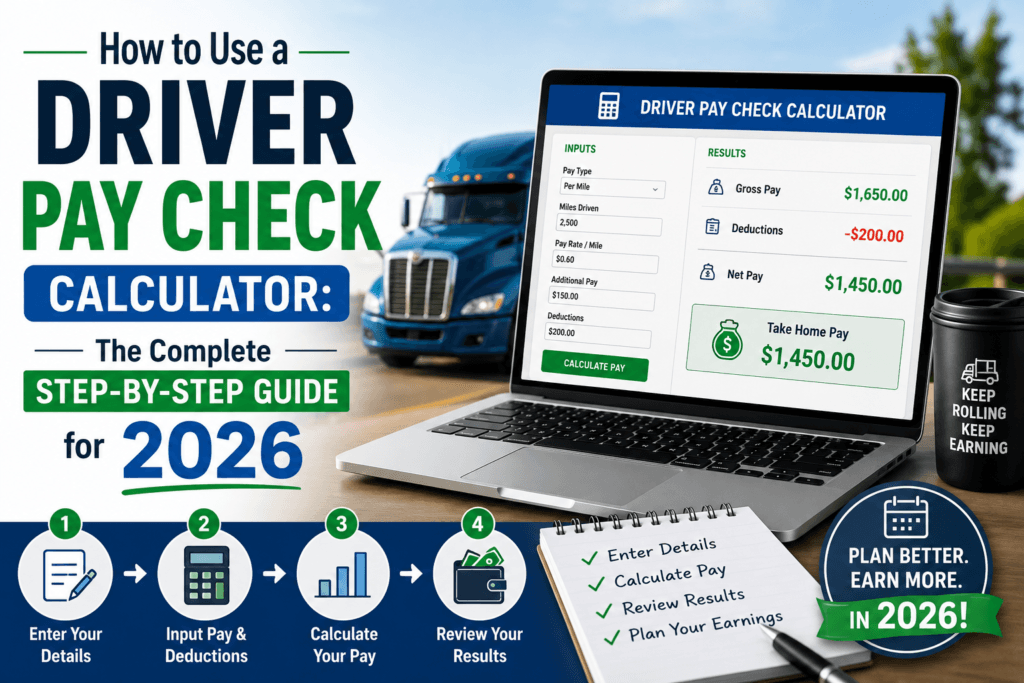
How to Use a Driver Pay Check Calculator: The Complete Step-by-Step Guide for 2026
A plain-English walkthrough for truck drivers, owner-operators, and gig delivery drivers who want a real, honest number for what actually lands in the bank — after fuel, deductions, and taxes.
Quick Answer
A driver pay check calculator is a free online tool that takes your pay rate — whether it’s per mile, hourly, or a percentage of load revenue — along with deductions, fuel costs, and tax withholding, and tells you exactly what your real take-home pay will be. To use one, you enter your miles or hours worked, your rate, any per diem or bonus pay, and your deductions, and the calculator instantly breaks down gross pay, total deductions, and net pay. You can try the free Driver Pay Check Calculator here — no signup required.
Ask ten drivers what they actually made last week after fuel, deductions, and taxes, and most will give you a rough guess pulled from memory, not a real number. That’s not a knock on anyone — driver pay is genuinely one of the harder paychecks to calculate by hand. Between per-mile rates, per diem, fuel surcharges, deadhead miles, load percentages, and payroll deductions, the math has more moving parts than a typical hourly job.
That complexity is exactly why so many drivers end up under-negotiating a new position, taking a load that pays less than it looks like on paper, or getting blindsided at tax time. A driver pay check calculator exists to close that gap — it takes every variable that affects your paycheck and turns it into one clear number: this is what you actually keep.
This guide walks through exactly how to use one, what each input and result actually means, and how to use the numbers to make better decisions about routes, rates, and whether a driving job is really worth taking.
What Is a Driver Pay Check Calculator, Exactly?
A driver pay check calculator is a specialized payroll tool built around how driving jobs are actually paid — which is different from a standard hourly paycheck calculator. Instead of just multiplying hours by a wage, it accounts for pay structures unique to the trucking and delivery industry: cents-per-mile rates, load percentage pay, per diem allowances, fuel deductions, and the split between W-2 employee pay and 1099 independent contractor pay.
Enter your numbers once, and it calculates your gross pay (everything you earned before deductions), your total deductions (taxes, fuel, insurance, equipment costs, or lease payments if applicable), and your net pay — the number that actually shows up in your account. For owner-operators especially, it can be the difference between thinking a load was profitable and knowing it was.
Why This Matters More for Drivers in 2026
Fuel costs, per-mile rates, and freight demand all shift throughout the year, and those shifts hit a driver’s real take-home pay much harder than they hit a typical office paycheck. A rate that looked solid six months ago might barely cover today’s fuel and maintenance costs once you actually run the numbers.
This is where an accurate calculator becomes more than a convenience — it becomes a decision-making tool:
- It reveals the true cost of deadhead miles. Unpaid miles driven to reach a pickup eat directly into your effective per-mile rate, and most drivers underestimate the impact until they see it calculated.
- It shows whether a new offer is actually better. A higher cents-per-mile rate with worse per diem or benefits can sometimes pay less overall than a lower rate with better terms.
- It clarifies the 1099 vs. W-2 trade-off. Independent contractor pay looks bigger on paper, but self-employment tax and no employer-paid benefits change the real comparison significantly.
- It helps owner-operators price loads correctly. Knowing your true cost per mile — fuel, maintenance, insurance, truck payment — is the only way to know if a load rate is actually profitable.
How to Use the Driver Pay Check Calculator: Step by Step
Here’s the exact process, using the free Driver Pay Check Calculator. Have your rate confirmation, settlement statement, or offer letter handy, and it takes about two minutes.
- Select your pay type. Choose whether you’re paid per mile, hourly, by percentage of load revenue, or a flat salary. This determines which fields the calculator asks for next.
- Enter your miles, hours, or load revenue. Use your actual numbers from a recent week or pay period — including both loaded and deadhead miles if you’re paid per mile, since some carriers pay differently for each.
- Add your rate. Input your cents-per-mile rate, hourly wage, or percentage split, exactly as stated in your contract or pay agreement.
- Include per diem, bonuses, and accessorial pay. Detention pay, stop pay, safety bonuses, and per diem allowances all affect your real total — leaving them out will understate your actual earnings.
- Enter your deductions. This includes federal and state tax withholding, and — for owner-operators — fuel, insurance, truck lease or payment, and any other operating costs that come out before you see the money.
- Review your gross-to-net breakdown. The calculator shows your gross pay, itemized deductions, and final net pay, along with your effective per-mile or per-hour rate after everything is accounted for.
Understanding Your Results
Once you run the numbers, the calculator returns several key figures. Here’s what each one actually tells you:
Gross pay
Your total earnings before any deductions — miles or hours multiplied by your rate, plus any bonuses, per diem, or accessorial pay. This is the number on the top line of a settlement statement, not the number that lands in your account.
Total deductions
Everything subtracted from gross pay: tax withholding, and for owner-operators, fuel, insurance, maintenance reserves, and equipment costs. Seeing this broken out by category, rather than as one lump subtraction, makes it much easier to spot where your money is actually going.
Net pay
The number that matters most — what actually deposits into your bank account. This is the figure to compare when evaluating whether a job offer, load, or route is genuinely worth taking.
Effective rate per mile or per hour
This divides your net pay by total miles or hours worked, giving you your real rate after every cost is accounted for. It’s often noticeably lower than the advertised rate, especially once deadhead miles and operating costs are factored in — and it’s the single most useful number for comparing two different offers apples-to-apples.
How Per Diem Actually Affects Your Paycheck
Per diem is one of the most misunderstood parts of driver pay, and it’s worth entering carefully into the calculator because it changes both your paycheck and your tax picture. In simple terms, per diem is a daily allowance meant to cover meals and incidental expenses while you’re away from home on the road. Some carriers pay it as a separate, non-taxable line item; others fold it into the per-mile rate, which changes how much of your total pay is actually taxable income.
The distinction matters more than it looks. A driver receiving part of their pay as a structured per diem allowance may see a slightly lower gross pay figure on paper, but a higher net pay figure once taxes are calculated, because that portion isn’t taxed the same way as standard wages. When you run your numbers through the calculator, entering per diem as its own line item — rather than lumping it into your mileage rate — gives a far more accurate picture of your real take-home pay and helps you compare two job offers that structure per diem differently.
For owner-operators, per diem also plays into deductible meal expenses at tax time, which is a separate consideration from how a carrier pays it out. Keeping a simple log of days on the road makes this calculation, and any related tax deduction, much easier to substantiate later.
Company Driver vs. Owner-Operator: How Pay Actually Compares
These are the two most common driving arrangements, and the calculator can model either one. The right fit depends heavily on how much control, risk, and paperwork you’re willing to take on in exchange for potentially higher upside.
| Factor | Company Driver (W-2) | Owner-Operator (1099) |
|---|---|---|
| Pay structure | Fixed cents-per-mile or hourly rate | Percentage of load revenue, minus operating costs |
| Tax withholding | Handled automatically by employer | Self-employment tax; quarterly estimated payments |
| Operating costs | Covered by the carrier | Fuel, insurance, maintenance, and truck payment out of pocket |
| Earnings ceiling | Generally capped by rate and miles available | Higher potential upside, but higher risk and variability |
| Best suited for | Predictable income and fewer administrative demands | Drivers comfortable managing costs and running their own numbers |
If you’re weighing a switch from company driving to owning your own truck, run both scenarios through the calculator using your actual expected miles and costs. The gap between the two often looks bigger on a recruiting flyer than it does once fuel, insurance, and self-employment tax are factored in for real.
A Real-World Example
Say a driver is offered a company position paying $0.62 per mile, running about 2,600 miles a week, with $95 per diem included and standard W-2 tax withholding. A competing owner-operator lease pays 78% of load revenue averaging $2.15 per mile, with the driver covering fuel, insurance, and a truck payment.
On paper, the owner-operator lease looks significantly more lucrative because of the higher headline rate. Once fuel, insurance, and the truck payment are subtracted, the real weekly gap narrows considerably — and the owner-operator route carries far more income variability week to week. Neither option is automatically better; the calculator just makes the true comparison visible instead of guessed.
Common Mistakes Drivers Make When Calculating Pay
- Forgetting to include deadhead miles. Unpaid miles driven empty to a pickup still cost fuel and time, and leaving them out inflates your real effective rate.
- Using an old fuel price or rate confirmation. Fuel and freight rates change frequently; a calculation based on last quarter’s numbers can be significantly off.
- Comparing gross pay instead of net pay between two job offers. A higher advertised rate with worse deductions or per diem can pay less overall than a lower rate with better terms.
- Not setting aside estimated taxes as a 1099 owner-operator. Since no employer withholds tax automatically, skipping this step often leads to an unpleasant surprise at filing time.
- Ignoring maintenance and depreciation as real operating costs. These costs are less visible week to week than fuel, but they add up significantly over a year of driving.
Practical Ways to Increase Your Take-Home Pay
Once you know your real numbers, these are the levers that tend to move take-home pay the most:
- Negotiate detention and stop pay explicitly. Time spent waiting at a shipper or receiver is often uncompensated unless it’s specifically negotiated into your rate agreement.
- Track deadhead miles and push for better dispatch. Reducing empty miles between loads directly raises your effective rate per mile without changing your headline pay rate at all.
- Set aside per diem correctly if self-employed. Per diem deductions can meaningfully reduce taxable income for owner-operators when tracked and claimed properly.
- Re-run the calculator before accepting any new load or route. A rate that looks fine at a glance can be a net loss once fuel and deadhead miles for that specific route are factored in.
- Compare quarterly, not just once a year. Fuel prices and freight rates shift throughout the year, so a pay comparison done in January may no longer hold true by summer.
See your real take-home pay in under two minutes
Enter your miles, rate, and deductions to get your actual net pay and effective rate.
Frequently Asked Questions
Is the Driver Pay Check Calculator free to use?
Yes. The Toolriz Driver Pay Check Calculator is completely free, requires no account or signup, and can be reused as often as needed to compare different loads, routes, or job offers.
Does the calculator work for both company drivers and owner-operators?
Yes. It supports per-mile, hourly, and percentage-of-revenue pay structures, so it can model a company driver’s W-2 paycheck or an owner-operator’s 1099 settlement with operating costs included.
How do I account for deadhead miles in the calculator?
Include your empty, unpaid miles alongside your loaded miles in the total mileage field. This ensures your effective rate per mile reflects your real driving, not just the miles you were paid for directly.
Can rideshare and delivery drivers use this calculator too?
Yes. Gig delivery and rideshare drivers can use the hourly or percentage pay options along with their own mileage and expense figures to estimate real take-home pay after gas and self-employment tax.
Why is my net pay so much lower than my advertised pay rate?
Advertised rates are typically gross figures before tax withholding and, for owner-operators, before fuel, insurance, and equipment costs. The calculator’s effective rate shows what you actually keep per mile or hour after everything is subtracted.
Should owner-operators set aside money for taxes separately?
Yes. Since 1099 pay has no automatic tax withholding, most owner-operators need to make quarterly estimated tax payments and should budget a portion of every settlement for that purpose.
Final Thoughts
A driver pay check calculator won’t negotiate a better rate for you or fill your truck with cheaper fuel — but it does something just as important: it replaces a guess with an actual number. Instead of a rough sense that “the pay seems okay,” you get a real gross-to-net breakdown and an effective rate you can compare honestly against any other offer on the table.
The two minutes it takes to enter your miles, rate, and deductions is usually the hardest part. After that, every job offer, every load, and every route becomes something you can evaluate with real numbers instead of a gut feeling — which, over a full year of driving, adds up to a meaningfully different paycheck.
Beyond driver pay, Toolriz also offers a full set of free online tools for budgeting, savings, and everyday financial calculations, all available without an account.