
Seller Finance Guide
TikTok Shop Fee & Profit Calculator: The Complete Seller’s Guide (2026)
Every dollar TikTok Shop takes out of your sale — referral fees, transaction fees, shipping, and the ad spend nobody budgets for — broken down in plain math, with a free calculator so you never guess your margin again.
1. What TikTok Shop fees actually are
If you have ever opened your TikTok Shop payout summary and found less money than you expected, you are not alone. It is one of the most common frustrations new sellers post about in seller forums: the sale price on the order looks healthy, but the deposit that actually lands in the bank account is noticeably smaller.
The gap between “what the customer paid” and “what you receive” is made up of a handful of fees that TikTok Shop deducts automatically before your payout is calculated. None of these fees are hidden exactly — they are published in TikTok Shop’s seller policies — but they are scattered across several pages, worded in platform language, and applied at different points in the checkout flow. That makes them easy to underestimate when you’re pricing a product for the first time.
This guide puts every one of those fees in one place, shows the exact math behind each one, and walks through how to use a TikTok Shop fee and profit calculator so you can price with confidence instead of finding out your real margin after the sale has already shipped.
2. The 3 fees that eat your sale
For most standard U.S. TikTok Shop sellers, three separate charges apply to every completed order. Understanding what each one is for makes the payout statement much easier to read.
Two of these are platform fees; the third is simply the physical cost of getting a product to the buyer’s door. Sellers who calculate margin using only the referral fee are usually the ones most surprised by their actual payout, because the transaction fee and shipping cost are just as real even though they’re less talked about.
Referral fee: the category-based commission
The referral fee works like a commission rate and is set per product category rather than being one flat number across the whole platform. A phone case and a kitchen appliance are not charged the same rate, which is why two sellers with an identical sale price can end up with different take-home amounts.
Transaction fee: the processing charge
This fee is smaller in percentage terms but is applied to the entire order total, including the portion the customer paid for shipping. It exists to cover the cost of processing the card or digital wallet payment, similar to a merchant processing fee you’d see on any card-based checkout.
Shipping and fulfillment: the cost sellers most often underprice
This one isn’t charged by TikTok, but it belongs in the same conversation because it behaves the same way in your math: it comes out of the sale price before you see profit. Underestimating a shipping cost by even a dollar or two per unit compounds fast at volume, which is exactly why it’s built as its own line item in the calculator rather than folded into “misc costs.”
3. Referral fee by category (2026 reference)
TikTok Shop periodically adjusts category commission rates, so treat the ranges below as a planning reference and always confirm the exact current rate for your specific category inside your Seller Center before finalizing pricing on a new SKU.
| Category | Typical referral fee range | Notes |
|---|---|---|
| Beauty & Personal Care | 7%–8% | Among the higher commission tiers due to high demand |
| Apparel & Accessories | 6%–8% | Varies by sub-category (footwear vs. jewelry) |
| Home & Kitchen | 6%–7% | Bulky items often carry higher shipping cost too |
| Electronics Accessories | 5%–7% | Lower-margin category, price carefully |
| Toys & Hobbies | 6%–8% | Seasonal demand spikes around Q4 |
| Health & Wellness | 6%–8% | Subject to additional platform compliance review |
| Pet Supplies | 6%–7% | Growing category with steady repeat purchase rate |
Rates shown are illustrative ranges for planning purposes based on published category patterns; confirm your exact rate in Seller Center before pricing a new listing.
4. The exact profit formula sellers should be using
Once you know which fees apply, the math itself is simple. Here is the formula that a proper TikTok Shop profit calculation runs through for every single order:
Notice that the last line item, allocated ad spend, is the one most new sellers skip entirely. If you’re running TikTok Shop ads or paying creators for affiliate promotion, that cost is just as real as the referral fee — it just isn’t deducted automatically from your payout, so it’s easy to forget it belongs in the same calculation.
5. Worked example, dollar by dollar
Here’s how the formula plays out on an actual product, using a mid-range home goods item as the example.
Scenario: Ceramic Coffee Mug Set, sold at $24.99
Net margin: 32.7% of the sale price — a healthy margin, but only visible once every cost line above is accounted for. Drop the shipping cost by even $1 and margin jumps past 36%, which is why testing packaging and carrier options matters more than most sellers assume.
This is the exact kind of line-by-line breakdown that gets tedious to redo manually every time you test a new price point, ad budget, or shipping option — which is the entire reason a dedicated calculator is worth using instead of a spreadsheet you rebuild from scratch each time.
6. Using the free TikTok Shop fee & profit calculator
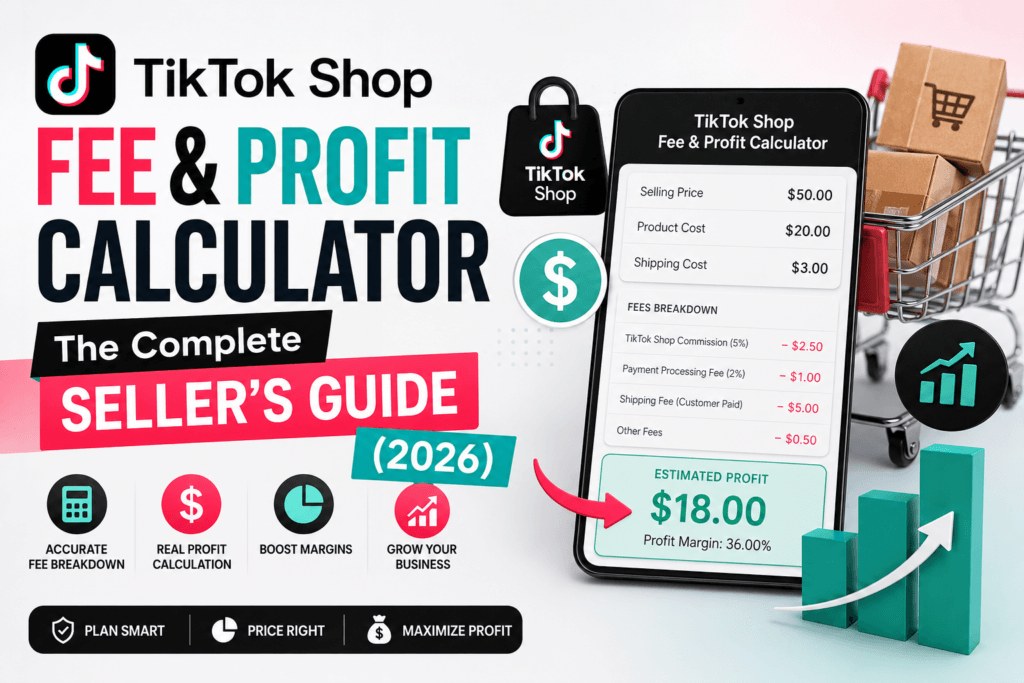
Rather than running the formula above by hand for every SKU, price test, or promotion, you can plug your numbers into the TikTok Shop Fee & Profit Calculator and get your net profit and margin instantly. It’s built to answer the exact question most sellers are actually asking: “if I sell this at this price, what do I actually keep?”
What to enter
- Sale price — the price the customer pays for the item.
- Product cost (COGS) — what you pay your supplier or manufacturer per unit.
- Category referral fee % — pulled from your Seller Center category page.
- Transaction fee % — typically a small, consistent percentage across order value.
- Shipping cost — your real, all-in carrier and packaging cost per unit.
- Optional ad spend per unit — for sellers running TikTok Shop ads or affiliate commissions.
What you get back
The calculator instantly returns your net profit per unit, your net margin percentage, and a full itemized breakdown so you can see exactly where each dollar went — the same ledger format used in the worked example above, but generated automatically for any price point you want to test.
Run your own numbers before your next listing goes live
Test different sale prices, shipping costs, and ad budgets in seconds and see your real margin before you commit to a price.
Open the TikTok Shop Fee & Profit Calculator →7. 6 mistakes that quietly kill TikTok Shop margin
Pricing off the referral fee alone
Forgetting the transaction fee seems minor at 2%, but across a few thousand units per month it adds up to real money left unaccounted for.
Using an average shipping cost instead of the real one
A single flat shipping estimate across every SKU hides the fact that heavier or bulkier products cost meaningfully more to ship, silently dragging down margin on your best-selling heavy items.
Ignoring returns and refund rates
A product with a 10% return rate needs its margin calculated against that reality, not against a world where every order ships and stays sold.
Leaving ad spend or affiliate commission out of unit economics
If a creator affiliate is earning a commission on top of TikTok’s own fees, that cost belongs in the same profit calculation, not treated as a separate “marketing budget” conversation.
Assuming the same fee rate applies across all your products
Referral fees are category-specific. A seller with products spanning two or three categories may be underpricing one category while overpricing another.
Recalculating manually instead of automating it
Manual spreadsheet math is fine for one SKU. It breaks down fast once you’re testing multiple price points, running seasonal promotions, or managing a catalog of dozens of products — which is exactly the repetitive math a calculator is built to remove.
8. Is TikTok Shop still worth it for sellers in 2026?
This is the question underneath most of the fee math above, and the honest answer depends on your starting margin, not on the platform itself.
Sellers with a gross margin comfortably above 35–40% before any platform fees tend to do well on TikTok Shop, because the platform’s organic reach through short-form video and live selling can drive order volume that would be expensive to replicate through paid ads on other channels. The combined referral and transaction fees, in that scenario, are simply a cost of accessing that discovery engine.
Sellers already operating on thin margins — think under 20%, common in categories like phone accessories or low-cost home goods — have far less room to absorb an 8–11% combined fee plus shipping and still land on a profitable unit. For that group, TikTok Shop only works at meaningful volume, with tight shipping costs, or with a slightly higher price point than they’d use elsewhere.
The practical takeaway: don’t evaluate “is TikTok Shop worth it” as a yes-or-no question about the platform. Evaluate it SKU by SKU, using your real numbers in a profit calculator before you commit inventory and ad budget to a listing.
9. Frequently asked questions
How much does TikTok Shop charge in seller fees in 2026?
Most U.S. sellers pay a referral (commission) fee that typically ranges between 6% and 8% of the item price depending on category, plus a small transaction fee on the order total, plus their own shipping and packaging costs. There is no flat monthly subscription fee for standard sellers.
Is TikTok Shop worth it for sellers in 2026?
For sellers with a gross margin above roughly 35 to 40 percent before fees, TikTok Shop is usually worth it because of its organic discovery through short-form video and live selling. For sellers already running thin margins under 20 percent, the combined referral and transaction fees can erase profit unless order volume is very high.
How do I calculate my real profit on a TikTok Shop sale?
Subtract your product cost, TikTok Shop referral fee, transaction fee, shipping cost, and any ad spend from the item’s sale price. The remainder is your net profit. A free TikTok Shop fee and profit calculator automates this so you don’t have to run the formula manually for every SKU.
Does TikTok Shop charge a fee if the item doesn’t sell?
No. TikTok Shop fees are transaction-based, meaning they are only charged when an order is successfully placed and paid for. There is no listing fee for creating a standard product listing.
What is the difference between TikTok Shop referral fee and transaction fee?
The referral fee is a category-based commission calculated as a percentage of the item price, similar to Amazon’s referral fee. The transaction fee is a smaller percentage applied to the total order value to cover payment processing, regardless of category.
Explore more free seller & business tools
The fee and profit calculator is one of several free calculators built for online sellers — from margin and markup tools to shipping and ad-spend planners.
TikTok Shop Calculator Browse All Free Tools →